You send a sensitive client query to an Large Language Model (LLM). The model generates a response. You close the tab. But where did that text go? Is it sitting on a server in Virginia? Was it used to train the next version of the model? Can you get it back if a lawyer asks for it six months from now?
If you are running AI systems in a regulated environment, "I don't know" is not an acceptable answer. Retention and deletion policies for LLM prompts and logs are no longer optional IT housekeeping; they are core components of your security posture and legal compliance strategy. This isn't just about saving disk space. It's about managing liability, respecting user privacy under laws like GDPR or CCPA, and maintaining trust.
Let's break down exactly how these policies work, why standard file deletion doesn't cut it for AI logs, and how to build a framework that actually holds up when auditors come knocking.
Why Standard Data Rules Don't Apply to AI Logs
Most companies have data retention policies for emails, documents, and database records. They apply those same rules to AI logs and assume they're safe. That’s a mistake. LLM interactions are different because they are unstructured, often contain personal information (PII), and can inadvertently reveal proprietary logic or trade secrets.
When a user interacts with a tool like Microsoft Copilot or a custom RAG application, the system captures the prompt and the generated response. These aren't just static text files. They are dynamic artifacts that might be fed into vector databases, cached for latency optimization, or logged for debugging. If you treat them like regular log files, you risk two major problems:
- Compliance Gaps: Regulations require specific time limits for storing personal data. If your logs sit indefinitely, you are non-compliant.
- Security Risks: Old logs might contain PII that was entered by users who assumed their data would disappear after the session. Keeping it forever increases the blast radius of any potential breach.
The complexity escalates when you consider that "deletion" in distributed cloud systems is rarely instantaneous. As we'll see later, even a simple delete command can trigger a multi-stage process that takes weeks to fully execute.
The Anatomy of an LLM Log Lifecycle
To write a good policy, you need to understand what you are managing. An LLM log typically consists of three distinct entities that need separate handling:
- The Prompt: The input provided by the user. This is high-risk because users often paste raw data-emails, code snippets, customer names-without sanitizing it first.
- The Response: The output generated by the model. While less likely to contain new PII, it reflects the context of the prompt and can be equally sensitive.
- Metadata: Timestamps, user IDs, token counts, and model versions. This data is crucial for auditing but must be linked carefully to avoid re-identifying users.
Your policy needs to define actions for each of these. Do you keep metadata longer than content? Do you anonymize user IDs immediately? There is no one-size-fits-all answer, but there are best practices. For instance, keeping raw prompts for 30 days allows for troubleshooting recent issues, while retaining anonymized metrics for a year helps with capacity planning and cost analysis.
How Deletion Actually Works (The Hidden Lag)
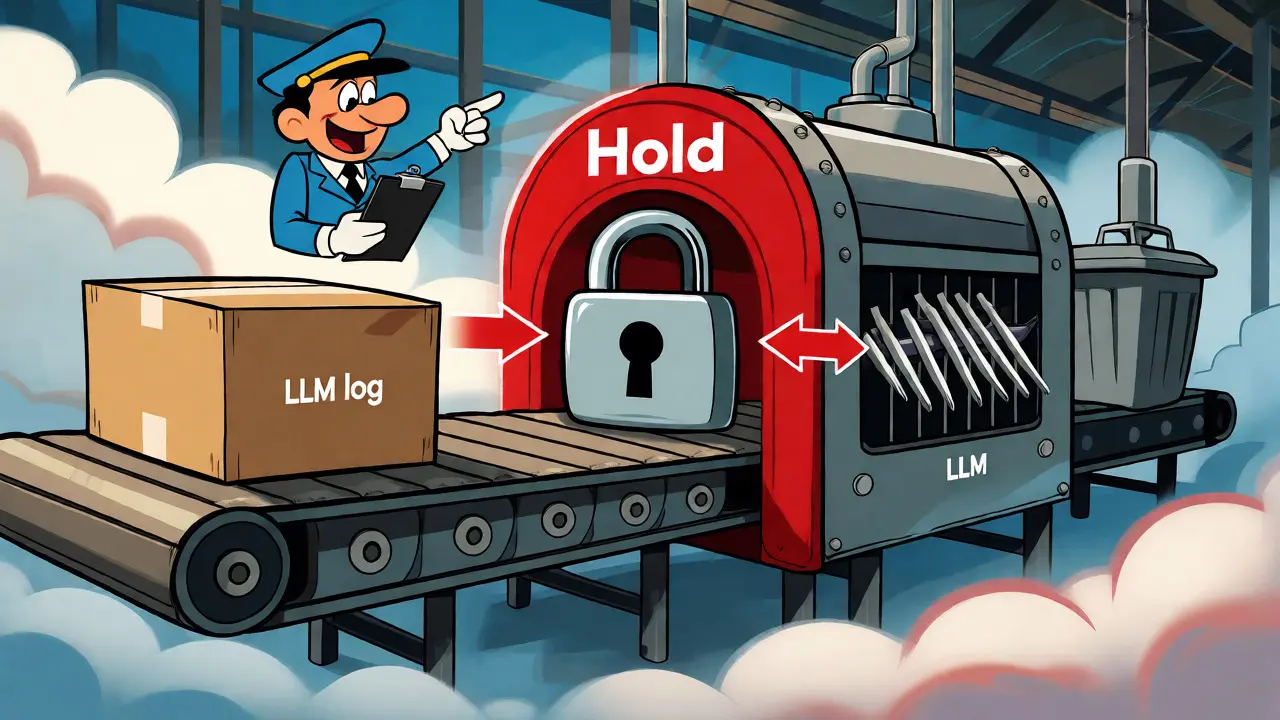
Here is where things get technical and counter-intuitive. When you click "delete" or set a retention period to expire, the data doesn't vanish instantly. In enterprise environments, especially those using platforms like Microsoft 365, deletion is a staged workflow designed to prevent accidental loss and ensure legal holds are respected.
Take Microsoft's implementation as a concrete example. When a message or interaction hits its retention expiry date, it isn't permanently erased right then. Instead, it moves to a hidden folder called SubstrateHolds. Why? Because the system needs to check if that data is subject to other policies, such as a Litigation Hold or an eDiscovery case. If it is, the data stays. If not, it waits in this holding area for a minimum of one day before a background timer job permanently removes it.
This means a "delete after 1 day" policy might actually take up to 16 days to fully clear the data from all backups and indices. Why so long? The system ensures complete unrecoverability. It checks for dependencies, updates indexes, and clears caches. If you tell a regulator "we deleted that data yesterday," but it's still in a backup tape being purged over the weekend, you could face penalties.
| Stage | Action | Duration | Purpose |
|---|---|---|---|
| 1. Expiry Trigger | Data marked for deletion based on policy | Immediate | Flags record for removal |
| 2. SubstrateHolds | Moved to intermediate storage | 1-7 Days | Check for Legal Holds/Litigation |
| 3. Timer Job Execution | Permanent deletion initiated | 1-7 Days | Ensure consistency across services |
| 4. Backup Purge | Removed from archival backups | Up to 30 Days | Final compliance clearance |
Regulatory Drivers: GDPR, CCPA, and Beyond
You don't write these policies just because IT wants clean servers. You do it because the law demands it. The General Data Protection Regulation (GDPR) in Europe and the California Consumer Privacy Act (CCPA) in the US both enforce the principle of "storage limitation." This means you cannot keep personal data longer than necessary for the purpose it was collected.
For LLMs, this creates a tricky scenario. Is a prompt needed for training future models? If yes, you might argue for longer retention. But if the user didn't consent to their data being used for training, you must delete it once the immediate service request is fulfilled. The European Data Protection Board explicitly advises limiting retention periods and implementing automated deletion for sensitive data.
OWASP (Open Worldwide Application Security Project) also weighs in on this. Their guidance for AI agent security emphasizes that retention and deletion policies are core components of secure architecture. They recommend immutable audit logs that document who accessed which records and when. This ties directly into Data Protection Impact Assessments (DPIAs). If you can't prove you deleted the data, you can't prove you complied.
Technical Implementation Strategies
So, how do you implement this without hiring an army of engineers? Automation is key. Manual deletion is prone to human error and scale failures. You need tools that automatically classify data, schedule deletions, and provide audit trails.
Consider these practical steps:
- Tiered Storage: Keep hot data (last 30 days) in fast-access databases for quick retrieval. Move cold data (30-90 days) to cheaper object storage. Archive older data only if legally required.
- Anonymization at Ingestion: Strip PII from prompts before logging them whenever possible. Use format-preserving encryption for fields that need validation but shouldn't be readable in plain text.
- Immutable Audit Logs: Ensure that the log of the deletion itself cannot be altered. If someone deletes a record, the fact that they deleted it must remain visible for auditors.
- Access Controls: Restrict access to raw logs. Only authorized personnel should see unredacted prompts. Most developers should only see aggregated metrics or redacted samples.
One critical aspect often overlooked is "right to be forgotten" requests. If a user demands their data be removed, you need a mechanism to search through logs, identify their entries, and trigger the deletion workflow. This is harder than it sounds in distributed systems where data might be replicated across regions.
Handling Multi-Cloud Complexity
If your AI stack spans multiple clouds-say, AWS for hosting, Azure for identity, and a specialized vendor for vector embeddings-you face a nightmare of synchronization. Each provider has different APIs for deletion and different timelines for physical erasure.
A robust policy must account for this heterogeneity. You need a central governance layer that tracks where every piece of data lives. When a deletion event occurs, it must propagate to all connected systems. This often requires custom middleware or integration tools that verify deletion confirmation downstream. Don't assume that calling an API endpoint guarantees the data is gone. Always request a status callback or perform periodic audits to verify that records have actually disappeared from the source of truth.

Model Retirement and Residual Data
What happens when you retire an LLM? Or when you fine-tune a new version? The old model artifacts and associated training datasets need to be decommissioned securely. This involves more than just turning off the server. You must revoke access credentials, remove model weights from storage, and ensure no residual data lingers in temporary caches or load balancer logs.
For deployed models that may have memorized PII, retroactive removal is complex. Techniques like knowledge unlearning or model editing can help, but they aren't perfect. In severe cases, you might need to retrain the model with sanitized datasets. Your retention policy should include a clause for "model retirement" that defines how long historical training data is kept after the model goes offline. Typically, this is shorter than active production data, but it must align with legal discovery requirements.
Common Pitfalls to Avoid
Even well-meaning teams stumble here. Watch out for these traps:
- Vague Definitions: Saying "keep data for a reasonable time" is useless. Define exact days. Is it 30? 90? 365?
- Ignoring Backups: Deleting from the live database doesn't delete from nightly backups. Your policy must specify backup rotation schedules.
- Lack of Testing: Test your deletion scripts. Run a simulation. Did the data actually disappear? Or did it just move to another table?
- Over-Retaining: Storing everything "just in case" costs money and increases risk. Be ruthless about what you keep.
Building Your Policy Framework
Ready to draft yours? Start with a stakeholder meeting involving legal, IT, security, and product teams. Map out every point where LLM interactions occur. Then, categorize the data types. Assign retention periods based on business value and legal risk. Automate the enforcement. Finally, audit regularly.
Remember, the goal isn't just compliance. It's building a trustworthy AI system. Users are increasingly aware of how their data is used. Transparent, strict retention policies are a competitive advantage, showing that you respect their privacy while delivering powerful AI capabilities.
How long should I retain LLM prompts?
There is no universal standard, but a common practice is 30 to 90 days for raw prompts containing PII, assuming no legal hold exists. Metadata and anonymized usage statistics can often be retained for 1-2 years for analytics purposes. Always align this with your specific industry regulations (e.g., HIPAA, GDPR).
Does deleting a log entry immediately remove it from all backups?
No. In most enterprise systems, including Microsoft 365 and AWS, deletion is a staged process. Data may persist in intermediate folders (like SubstrateHolds) for several days and in backup tapes for weeks or months until the backup cycle rotates. True permanent deletion can take up to 30 days depending on the infrastructure.
What is the difference between retention and archiving?
Retention refers to keeping data in an accessible state for operational or legal reasons. Archiving involves moving data to cheaper, slower storage for long-term preservation, often with restricted access. Retention implies the data might be needed soon; archiving implies it is kept for compliance or historical reference.
Can users request deletion of their LLM history?
Yes, under laws like GDPR and CCPA, users have the right to be forgotten. Your system must support identifying a user's prompts and responses and triggering the deletion workflow. Note that this does not always mean removing the data from model training sets if the model has already been trained, unless you use techniques like machine unlearning.
Why is encryption important for LLM logs?
Encryption protects data at rest and in transit. Since prompts can contain highly sensitive information (trade secrets, health data), encryption ensures that even if a breach occurs, the data remains unreadable without the keys. Format-preserving encryption can also allow certain validations without decrypting the entire field.