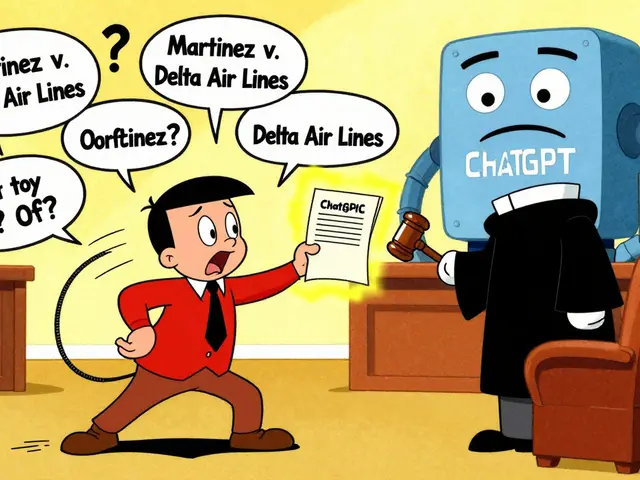
You’ve probably seen it happen. You ask a chatbot for advice, and it spits out something weirdly specific about your neighbor’s medical history, or worse, it suggests a solution that sounds plausible but is completely wrong in a way that could get you fired. This isn’t just bad luck; it’s a security gap. As large language models (LLMs) move from experimental toys to critical business tools, the risk of them leaking sensitive data or generating harmful content has skyrocketed. The fix? Output filtering. It’s the digital bouncer standing between the model’s raw thoughts and your user’s screen, deciding what gets through and what gets blocked.
Think of output filtering as the final checkpoint in an airport security line. Input filtering checks your passport at the door, but output filtering scans your bags before you board the plane. It catches things that slipped through earlier checks or things generated on the fly. For organizations deploying generative AI, this isn’t optional anymore-it’s a requirement for compliance, brand safety, and basic sanity. If you’re building an AI product today and skipping this step, you’re essentially shipping code with known bugs to production.
Why Output Filtering Is Non-Negotiable
Let’s be real: LLMs are probabilistic engines. They don’t “know” facts; they predict likely next tokens. This means they can hallucinate, bias, or accidentally reveal training data. Without filtering, a model might answer a question about public policy by quoting a private email found in its training set. Or, it might generate a response that technically answers the prompt but uses language that violates workplace harassment policies.
The OWASP Gen AI Security Project explicitly lists "insecure output handling" as a top vulnerability. This happens when developers assume the model’s output is safe because the input was sanitized. But models can be tricked into producing unsafe outputs even from benign inputs. A user might ask, "Write a story about a character named John," and the model might decide John is a caricature filled with slurs. If you display that directly, you own the liability. Output filtering decouples the model’s creativity from the application’s safety requirements, giving you control over what users actually see.
The Three Layers of Defense
Effective protection doesn’t rely on a single filter. It uses a layered approach, often described as defense-in-depth. Here’s how it breaks down:
- Pre-Deployment Filtering: This happens during training or fine-tuning. You clean the datasets so the model learns from safer examples. While effective, it’s expensive and slow. You can’t update these filters instantly if a new type of slur emerges tomorrow.
- Inference-Time Filtering: This is where most modern applications live. After the model generates text, a separate system scans it before sending it to the user. This allows for rapid updates-you can change a rule or add a keyword without retraining the entire model.
- Edge-Level Filtering: Tools like Cloudflare’s Firewall for AI sit at the network boundary. They inspect traffic before it even hits your application server. This is great for blocking obvious attacks or restricting topics globally across all your AI services.
Most robust systems combine inference-time and edge-level strategies. The edge handles high-volume, low-complexity threats, while the inference layer handles nuanced context-specific checks.
How Modern Filtering Systems Work
So, how do we actually build these filters? It’s not just a simple "find and replace." Modern systems use a mix of techniques to catch both obvious and subtle issues.
First, there’s Content Classification using machine learning models trained on labeled datasets to detect categories like hate speech, toxicity, or sexual content. These models analyze the semantic meaning of the text, not just the words. For example, the word "kill" in "kill the lights" is benign, but in "kill the process," it’s technical. A classifier understands context.
Second, Pattern Matching remains vital for specific formats. Regular expressions (regex) are perfect for catching Social Security numbers, credit card digits, or phone numbers. Amazon Bedrock Guardrails, for instance, uses probabilistic detection combined with regex to identify personally identifiable information (PII). This dual approach reduces false positives-avoiding flagging a random 9-digit number that isn’t actually an SSN.
Third, Anomaly Detection looks for statistical outliers. If a model suddenly starts responding in a language it shouldn’t, or with a sentence structure that deviates wildly from its norm, an anomaly detector flags it. This is crucial for catching jailbreak attempts where users try to confuse the model into breaking character.

Tools of the Trade: From OpenAI to Cloudflare
You don’t have to build everything from scratch. Several vendors offer mature solutions that integrate easily into existing stacks.
| Solution | Primary Strength | Detection Method | Best For |
|---|---|---|---|
| OpenAI Moderation API | Simplicity & Integration | Binary flagging (Safe/Unsafe) | Rapid prototyping & basic safety checks |
| Amazon Bedrock Guardrails | Categorized Control | Multi-category scoring (Hate, Violence, etc.) | AWS environments needing granular policy control |
| Cloudflare Firewall for AI | Network-Level Enforcement | Llama-based classification at the edge | Blocking topics globally without app changes |
| IBM HAP/MUTED | Nuanced Linguistic Analysis | Entity-targeted offense detection | Multilingual apps needing precise harm ranking |
OpenAI’s API is the go-to for quick wins. It returns a "flagged" boolean. Simple, right? But it’s blunt. It doesn’t tell you *why* something was flagged, just that it might be bad. For enterprise apps, you need more nuance. That’s where Amazon Bedrock shines. It lets you set thresholds for different categories. Maybe you allow mild insults in a gaming chatbot but block all violence references in a healthcare bot. Bedrock lets you tune those dials per category.
Cloudflare takes a different angle. Instead of integrating code into your app, you configure rules at the DNS/edge level. If you run multiple models behind the same domain, Cloudflare applies the same guardrails uniformly. This is huge for governance. You don’t want one team’s Python script bypassing the safety rules another team implemented in Node.js.
Handling Sensitive Data and PII
One of the scariest risks is data leakage. Imagine your HR chatbot reveals employee salaries because it memorized them from training data. Or worse, it leaks a customer’s address in a support ticket summary.
Standard profanity filters won’t catch this. You need specialized PII detectors. These systems look for patterns like dates of birth, addresses, and government IDs. But they also need to handle obfuscation. Users might write their SSN as "1-2-3-4-5" or encode it in Base64. Advanced filters, like those researched in recent arXiv papers, decode base64, hexadecimal, and URL-encoded strings before checking for patterns. One study showed this approach achieved a 98.71% success rate in identifying encoded harmful inputs. If your filter only checks plain text, you’re missing half the threat.
Another tricky area is "contextual PII." A name alone isn’t always sensitive. "John Smith" is common. But "John Smith, born May 5, 1980, lives in Portland" is highly identifying. Effective filters use entity linking to connect names with locations or dates, raising the sensitivity score when multiple identifiers appear together.

The False Positive Trap
Here’s the trade-off nobody talks about enough: strictness vs. usability. If you set your filter too aggressively, you’ll block legitimate content. A medical chatbot might refuse to discuss "breast cancer" because the word "breast" triggers a sexual content filter. That frustrates users and erodes trust.
To avoid this, use tiered responses. Don’t just block everything. Classify the severity. 1. **Hard Block:** Stop the response entirely. Use for clear violations like hate speech or leaked SSNs. 2. **Soft Warning:** Display the content but add a disclaimer. "This response may contain sensitive material." 3. **Redaction:** Show the response but blur out specific entities. "The patient’s name is [REDACTED]."
This approach keeps the conversation flowing while managing risk. IBM’s MUTED tool helps here by visualizing which parts of a sentence are offensive. It highlights the target ("those people") and the span ("horrible drivers"), allowing admins to decide if the whole sentence should go or just the offending part.
Implementing Your Own Filter Strategy
If you’re rolling your own solution, start small. Don’t try to solve every problem on day one. Follow this checklist:
- Define Your Threat Model: What are you afraid of? Leaked PII? Profanity? Hallucinations? Prioritize based on your industry. Healthcare cares about PII; social media cares about toxicity.
- Start with Regex: It’s fast and cheap. Catch obvious formats first (emails, phones, IDs).
- Add a Classifier: Integrate a pre-trained model for sentiment or toxicity. Open-source models like Llama-Guard are excellent for this.
- Log Everything: Save the raw model output and the filter decision. You need this data to tune your thresholds later.
- Test with Adversarial Inputs: Try to break your filter. Feed it encoded strings, mixed languages, and sarcasm. See if it holds up.
Remember, filtering is an arms race. As models get better at hiding intent, filters must evolve. Keep your logs handy-they’re your best teacher for spotting new attack vectors.
What is the difference between input and output filtering?
Input filtering screens user prompts before they reach the model, preventing malicious or inappropriate questions. Output filtering screens the model's generated response before it reaches the user, catching unexpected harmful content, hallucinations, or data leaks that the model produced despite a safe input.
Can output filtering prevent all hallucinations?
No. Output filtering primarily targets safety and privacy risks (like toxicity or PII leaks). While it can flag nonsensical or factually inconsistent statements using anomaly detection, it cannot verify factual truthfulness without external knowledge bases. Fact-checking requires retrieval-augmented generation (RAG) or verification steps beyond simple filtering.
How does encoding affect output filtering?
Adversaries often encode sensitive data or harmful words using Base64, Hexadecimal, or URL encoding to bypass keyword filters. Robust output filters must decode these formats before analysis. Failure to do so allows encoded sensitive data (like a Base64-encoded SSN) to pass through undetected.
Is using an API for filtering slower than local models?
Generally, yes. External APIs introduce network latency. Local filtering models run on your infrastructure, offering lower latency but requiring more maintenance and computational resources. For real-time applications, local or edge-deployed filters are often preferred, while batch processing can tolerate API delays.
What are false positives in LLM filtering?
False positives occur when the filter blocks safe, legitimate content. For example, a medical chatbot might block the word "sex" due to a sexual content filter, hindering useful health advice. Balancing strictness with usability involves tuning thresholds and using contextual classifiers to distinguish between harmful and benign usage of ambiguous terms.