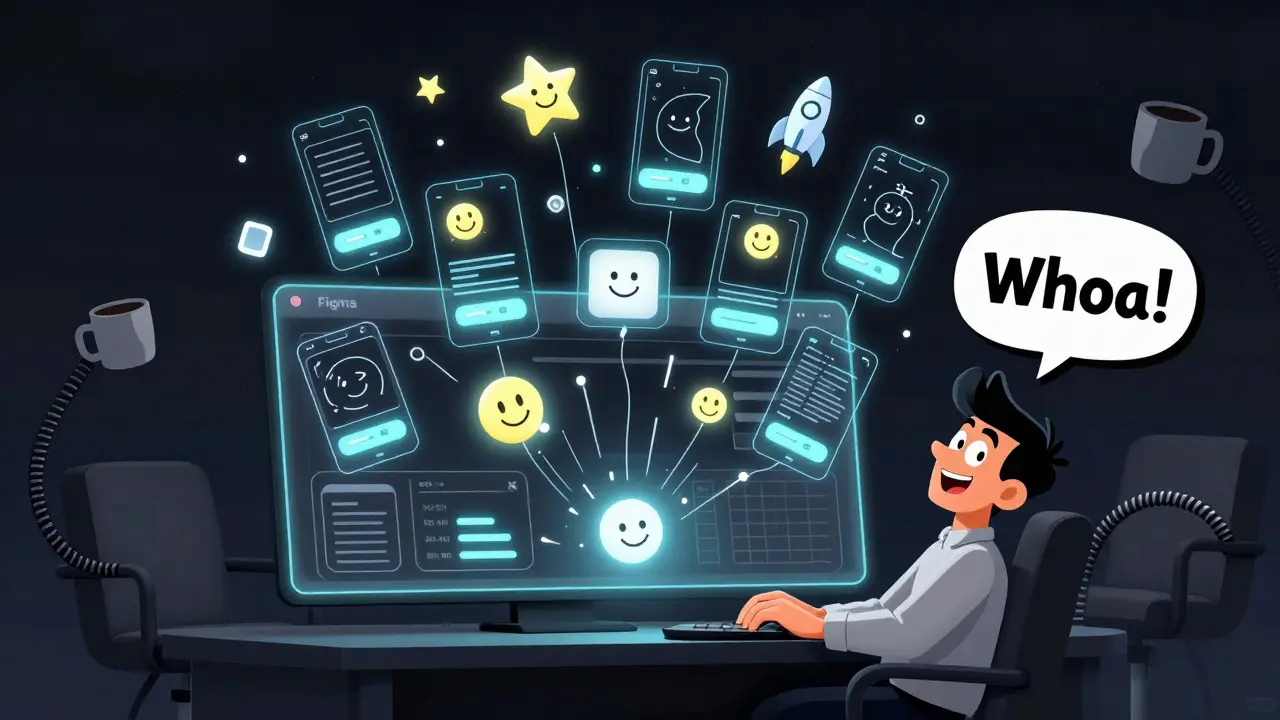
Design teams aren’t just using AI to speed up work-they’re rethinking how creativity happens. What used to take days of sketching, tweaking, and iterating now happens in minutes. A designer types, "mobile app dashboard for fintech with dark mode and glowing buttons," and gets 12 unique wireframes back. No more staring at blank canvases. No more endless rounds of feedback. Just fast, smart starting points. And that’s only the beginning.
Wireframes That Write Themselves
Generative AI doesn’t just draw lines-it understands context. Tools like Figma’s AI and Adobe Firefly now turn plain text into fully structured wireframes. You don’t need to know how to use a grid system. You just describe what you need. A startup founder says, "I want a login screen with social sign-in, password reset link, and a progress bar for onboarding." In under 90 seconds, the AI generates three variations: one minimalist, one bold with illustrations, one focused on accessibility. The designer picks the closest one, tweaks the spacing, adds the logo, and calls it done. That’s 8 hours of work cut down to 20 minutes.
It’s not magic. It’s trained on millions of real-world UI patterns. Figma’s AI has seen over 2 million app screens. Adobe’s Firefly learned from licensed design assets, not random web scrapes. That means the outputs aren’t just random-they follow usability rules. Buttons are the right size. Text is legible. Layouts respect mobile breakpoints. But here’s the catch: 67% of AI-generated wireframes from 10,000 test samples showed nearly identical structural patterns, according to MIT’s Dr. Lena Chen. That’s why smart teams don’t accept the first result. They use AI to spark ideas, not replace judgment.
Generating Hundreds of Creative Variations
Client feedback used to mean going back to the drawing board. Now, it means hitting "generate variation." Need 20 different header styles for a health app? Instead of spending a day making them, a designer types: "Modern health app header with icon, title, and quick-action buttons. Use mint green and white. No gradients." The AI spits out 20 options. One has a floating button. Another has a sliding tab. A third uses micro-animations. All of them match the brand’s tone. The team votes in real time using Figma’s comment system. The winner gets refined. The rest are archived for future use.
This isn’t just about speed. It’s about breaking creative blocks. Teams that used to get stuck on one direction now explore 10 times more options. A study from Huge Inc. showed their client workshops cut wireframe iteration cycles by 45% after using Miro’s AI template generator. Distributed teams across 12 time zones could all contribute ideas in one shared space. No more waiting for someone in Sydney to wake up. The AI keeps the momentum going.
But there’s a downside. When everyone uses the same prompt, you get the same results. That’s why top teams build prompt libraries. They don’t just say, "Make a button." They say, "Make a primary CTA button with 12px padding, 8px border radius, 2px drop shadow, and hover state that lifts 1px." Standardized prompts mean consistent outputs. 72% of high-performing design teams now use these templates, according to eWeek’s January 2026 report.
From Mockup to Code in One Click
Designers used to hand off assets like they were passing a baton in a relay race. Now, the baton is digital-and it’s automated. Tools like Zeplin and Figma automatically generate export-ready PNGs, SVGs, and even code snippets. Need a 120x120 icon for iOS? Click "export." Need the CSS for that gradient button? Click "copy code." The AI reads your design layer and writes the exact values: color codes, spacing, font weights, shadow offsets.
Engineering teams notice the difference. According to AI Media Studio’s survey of 450 design pros, 83% of developers reported dramatically less back-and-forth with designers after using these tools. No more asking, "Is this 16px or 18px?" No more guessing if the button is 100% or 98% opacity. The AI gives exact numbers. And if something’s wrong? The designer updates the source file, and the changes sync everywhere.
Adobe’s 2025 Creative Pulse Report found that 78% of designers now use AI for initial asset generation. But here’s the twist: 63% of them spend 22% more time refining those outputs to match brand guidelines. Why? Because AI doesn’t know your brand voice. It doesn’t know if your company is playful or corporate. It doesn’t know if your logo should be centered or left-aligned. That’s where humans still win. The AI handles the grunt work. The designer handles the soul.
Tool Showdown: Figma, Adobe, Orq.ai, and Others
Not all AI design tools are built the same. Here’s how the top players stack up:
| Tool | Best For | Learning Curve | Collaboration | Pricing (2026) |
|---|---|---|---|---|
| Figma | Real-time team collaboration, component libraries | 6.2 hours | Up to 50 live collaborators | $12/user/month (Pro plan) |
| Adobe Firefly | Text-to-image, editable graphics, brand consistency | 17 hours | Integrated into Creative Cloud | $69.99/month (All Apps) |
| Orq.ai | Prompt versioning, fast iteration, enterprise guardrails | 8 hours | Shared prompt history | $29/user/month (starts) |
| Miro | Workshop ideation, whiteboarding, team brainstorming | 5 hours | 1,200+ app integrations | $10/user/month (Standard) |
| Zeplin | Handoff to developers, spec exports, code generation | 3 hours | Developer-focused | $15/user/month |
Figma leads in team speed. Adobe leads in quality control. Orq.ai leads in process. Miro leads in brainstorming. Zeplin leads in developer trust. Most teams use a mix. A designer might start in Miro for ideation, move to Figma for wireframing, use Firefly for custom illustrations, and export specs via Zeplin.
What Goes Wrong-and How to Fix It
It’s not all smooth sailing. Teams run into real problems:
- Prompt drift: One person says "slim button," another says "compact CTA." Results vary wildly. Fix: Create a shared prompt glossary. Define terms like "slim," "bold," "minimal."
- Version chaos: 58% of teams struggle with tracking which AI output came from which prompt. Fix: Use tools like Orq.ai that save prompt history. Label every version.
- Quality dip: AI outputs look good at first, then fall apart under scrutiny. Fix: Always review against brand guidelines. Use AI for drafts, not final assets.
- Over-reliance: Designers stop thinking. They pick the first AI result. Fix: Require at least 3 variations before choosing one.
And then there’s the legal gray zone. Who owns an AI-generated logo? 61% of legal departments are worried, according to Law360’s January 2026 survey. Some companies now require designers to disclose when AI was used and what prompts were input. Others train models on internal assets only-so outputs can’t accidentally copy someone else’s work.
What’s Next? AI as a Co-Pilot, Not a Replacement
The best teams don’t see AI as a tool. They see it as a teammate. One that never sleeps. One that can generate 100 ideas while you’re in a meeting. One that remembers every version you’ve ever tried.
Autodesk’s John Brock said it best: "The goal is to blend AI seamlessly into the workflow, maintaining creativity and diversity while accelerating innovation." That’s the sweet spot. Not replacing designers. Not automating creativity. Augmenting it.
By 2027, 90% of enterprise design teams will use AI for asset creation, according to Forrester. But only 35% will actually get faster. Why? Because tools don’t change workflows. People do. Teams that train their people, standardize their prompts, and treat AI as a partner will thrive. The rest? They’ll be stuck with a bunch of pretty but meaningless outputs.
The future isn’t AI design. It’s human design-with AI doing the heavy lifting.
Can generative AI replace designers?
No. AI handles repetitive tasks-wireframe drafts, asset exports, variation generation-but it can’t replace judgment, empathy, or brand understanding. Designers still decide what works for users, what fits the brand, and what solves real problems. AI is a co-pilot, not the pilot.
Which tool is best for small design teams?
Figma is the most accessible for small teams. It’s affordable, easy to learn, and lets everyone collaborate in real time. Orq.ai is also strong if you need prompt versioning and consistent outputs. Avoid expensive enterprise tools like Adobe Creative Cloud unless you’re already using other Adobe products.
How long does it take to train a team on AI design tools?
It varies. Figma’s AI features take about 6 hours to learn. Adobe Firefly needs 17 hours due to deeper controls. Orq.ai’s prompt system takes 8 hours. Most teams see productivity gains after 3 months, even if they start slower. The key is practice-not just training.
Do AI-generated assets violate copyright?
It’s unclear legally, but companies are taking precautions. Some train AI on internal assets only. Others require designers to disclose AI use and keep prompt logs. Legal teams are especially cautious about logos and brand assets. Always check your company’s policy before using AI for public-facing work.
What’s the biggest mistake teams make when adopting AI?
Using AI as a shortcut instead of a catalyst. Teams that accept the first AI output, skip reviews, or stop thinking creatively end up with bland, repetitive designs. The best teams use AI to explore more ideas-not to make fewer decisions.
This is literally the future and I’m here for it. AI isn’t stealing jobs-it’s giving designers back their time to actually think, feel, and create. I used to spend whole weekends just tweaking spacing. Now I spend that time talking to users. Game changer.
I love how this is making design more human again 🤍 Like, we’re not drowning in pixels anymore-we’re finally focusing on the why. Also, Figma + Firefly = 💯
I’ve been using Orq.ai for my team and it’s been a total game changer. We used to waste hours arguing over whether a button should be 12px or 14px padding. Now we just pull up the prompt library and move on. Seriously, if you’re not standardizing your prompts, you’re leaving speed on the table.
67% of AI-generated wireframes have identical structural patterns? That’s not innovation, that’s a monoculture. And calling it 'smart' when it’s just regurgitating the same 2 million screens? Wake up.
The biggest win for me is how much faster our remote team moves now. No more waiting for someone in Bangalore to wake up. AI just keeps going. We’re not just working faster-we’re thinking bigger. And honestly, the quality’s better because we’re not burnt out from 100 iterations.
I’ve seen teams go from 3 ideas to 30 in one morning. It’s not about replacing creativity-it’s about expanding it. The magic is in the exploration, not the output.
So let me get this straight. You’re telling me we’re celebrating AI for doing exactly what humans did 20 years ago-copying popular layouts? How is this progress? It’s just automation dressed up as innovation.
I tried using AI for a client project last week and honestly? The first output looked like a template from 2018. But after tweaking the prompt a few times and mixing in my own sketches? Boom. Something actually fresh. Point is, AI’s not the artist. It’s the sketchpad.
I’ve been doing this for 15 years and I’ll say it plain-AI doesn’t feel. It doesn’t know what it’s like to sit in a user’s shoes, to hear their frustration, to sense the tension in their voice when they say "I just don’t get it." You can generate 1000 buttons, but if you don’t understand why the user hates them? You’re just decorating a coffin. I’ve seen teams get lazy. They stop listening. They stop asking. They just click generate. And then they wonder why their product feels hollow. This isn’t efficiency. It’s emotional abandonment. And it’s going to cost us. Not in dollars. In soul.