Building a full-stack app usually means wrestling with boilerplate. You set up the database connection, configure authentication, wire up the API routes, and suddenly half your sprint is gone before you write a single line of business logic. Wasp is a declarative framework that automates this setup by generating a complete React and Node.js application from a simple configuration file. It lets you focus on what makes your app unique rather than how to connect the dots between frontend and backend.
This approach, often called "vibe coding," relies on high-level intent. Instead of writing imperative code for every route and hook, you describe your data model and actions in Wasp's Domain Specific Language (DSL). The framework handles the rest. If you are looking to ship an MVP or an internal tool quickly, Wasp offers a streamlined path that cuts down initial setup time significantly.
How Wasp Simplifies the Stack
At its core, Wasp acts as a compiler. You write a main.wasp file that defines your entities, fields, and actions. When you run the build command, Wasp generates the actual codebase. This generated code uses React for the frontend, a JavaScript library for building user interfaces, and Node.js for the backend runtime. For database interactions, it integrates Prisma, a modern Open Source ORM for Node.js and TypeScript, which connects seamlessly with PostgreSQL, an open-source object-relational database system.
The key benefit here is consistency. Because Wasp generates the code, there is a single source of truth. You don't have to worry about mismatched types between your frontend and backend. The framework ensures that if you change a field in your data model, the corresponding forms, tables, and API endpoints update automatically. This reduces the risk of bugs that typically arise from manual synchronization across different parts of the stack.
- Declarative Syntax: Define what you want, not how to build it.
- Automated Boilerplate: Authentication, routing, and CRUD operations are handled out of the box.
- Type Safety: End-to-end type checking from database to UI.
- One-Command Deployment: Deploy directly to cloud platforms like Fly.io without complex CI/CD setups.
Getting Started with Wasp
If you are new to Wasp, the learning curve is manageable if you already know React and basic Node.js concepts. Most developers report becoming proficient within 8 to 12 hours. The process starts with installing the CLI via npm. Once installed, creating a new project takes just one command: wasp new my-project.
This command scaffolds your entire application structure. Inside, you will find the .wasp directory where your DSL files live, alongside standard folders for custom components and pages. To start developing, simply run wasp start. This launches a local development server with hot reloading, so changes to your Wasp config or custom React components reflect instantly in the browser.
- Install Dependencies: Ensure you have Node.js 18+ and PostgreSQL 12+ installed locally.
- Create Project: Run
wasp new app-nameto generate the initial structure. - Define Data Model: Edit
main.waspto add your first entity, such as a 'User' or 'Product'. - Add Actions: Create functions to handle specific logic, like creating a new record.
- Run Dev Server: Execute
wasp startto see your app in action.
For deployment, Wasp supports one-command deploys. Using wasp deploy pushes your app to Fly.io, handling environment variables and database provisioning automatically. This eliminates the typical friction of configuring cloud infrastructure manually.
Comparing Wasp to Traditional Frameworks
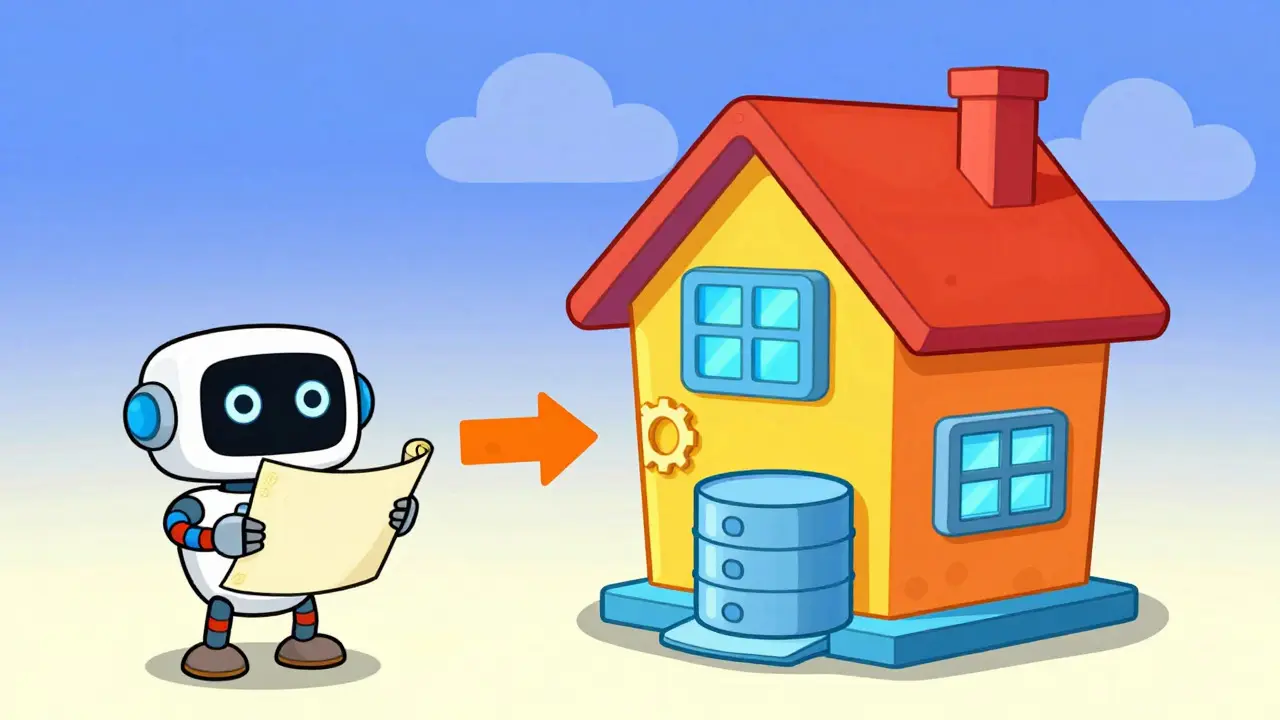
Many developers ask why they should switch from established tools like Next.js or create a manual React + Express setup. The answer lies in the scope of the problem. Next.js is a powerful meta-framework, but it focuses primarily on the frontend and rendering strategies. To achieve full-stack functionality, you often need to integrate additional libraries for state management, server-side data fetching, and database access. This can lead to a fragmented architecture where multiple packages handle different parts of the stack.
Wasp, on the other hand, is opinionated. It provides a unified solution for the entire full-stack workflow. Here is how it stacks up against common alternatives:
| Feature | Wasp | Manual React + Node.js |
|---|---|---|
| Setup Time | Minutes | Hours to Days |
| Authentication | Built-in | Requires external library |
| Type Safety | End-to-end automatic | Manual configuration required |
| Code Volume | ~65% less boilerplate | Standard volume |
| Customization Flexibility | High for business logic, lower for infra | Unlimited |
While a manual setup gives you total control over every line of code, Wasp trades some of that granular control for speed and consistency. For projects under 50,000 lines of business logic, the productivity gains are substantial. However, for highly complex enterprise systems requiring custom infrastructure patterns, you might find yourself needing to "eject" from Wasp's generated code occasionally.

Best Use Cases for Wasp
Wasp shines in specific scenarios where speed and standard patterns matter more than unique architectural quirks. It is particularly well-suited for Minimum Viable Products (MVPs), internal admin dashboards, and CRUD-heavy applications. If your app involves managing users, products, orders, or content, Wasp handles the repetitive lifting so you can focus on the unique value proposition.
Consider a SaaS dashboard that needs user authentication, role-based access control, and data visualization. With Wasp, you define the User and Role entities, specify the permissions in your DSL, and the framework generates the login screens, protected routes, and API endpoints. What would take a week to wire up manually can be done in a day. This acceleration allows teams to iterate faster and validate ideas sooner.
Conversely, Wasp may not be the best fit for real-time applications that rely heavily on WebSockets or for mobile-first apps, as native mobile support is still on the roadmap. If your primary requirement is a complex, low-latency chat application or a game, a specialized framework might serve you better. But for standard web applications, Wasp provides a robust foundation that scales well with your business logic.
Tips for Effective Vibe Coding
To get the most out of Wasp, adopt a mindset of separation of concerns. Keep your business logic in custom TypeScript files outside the .wasp directory whenever possible. While Wasp handles the plumbing, your unique algorithms and integrations should live in standard code modules that you import into your Wasp actions. This keeps your codebase clean and makes it easier to migrate if you ever decide to leave the framework.
Also, leverage the community resources. The Wasp ecosystem includes a "Recipes" repository with hundreds of pre-built solutions for common problems, such as integrating Stripe payments or sending transactional emails. Before writing custom code, check if a recipe exists. This practice saves time and ensures you are following best practices recommended by the core team.
Finally, pay attention to error messages. Early versions of Wasp had cryptic errors, but recent updates have improved diagnostics significantly. If you hit a wall, the community Slack channel is active, with average response times under 30 minutes. Engaging with the community early in your project can help you avoid common pitfalls and learn advanced techniques faster.
Is Wasp suitable for large-scale enterprise applications?
Wasp works well for applications up to around 50,000 lines of business logic. For larger, more complex systems, you may need to customize the generated code more frequently. It is best suited for teams that prioritize developer velocity and standard patterns over highly bespoke infrastructure.
Can I use databases other than PostgreSQL with Wasp?
Currently, PostgreSQL is the default and primary supported database. Support for other databases like MySQL and MongoDB is planned for later in 2026, but for now, you should design your application assuming a relational database structure.
How does Wasp handle authentication?
Wasp includes built-in full-stack authentication. You can enable email/password, OAuth providers, or magic links with minimal configuration in your main.wasp file. It handles session management, password hashing, and secure token generation automatically.
What happens if I want to leave Wasp later?
Wasp follows a "no lock-in" policy. Since it generates standard React and Node.js code, you can extract your codebase at any time. Your business logic written in custom files remains portable, and the generated code serves as a solid starting point for a manual setup if needed.
Does Wasp support TypeScript?
Yes, Wasp has strong TypeScript support. As of version 0.12.0, it fully supports TypeScript 5.3, providing end-to-end type safety from your database schema to your React components. This helps catch errors early in the development cycle.