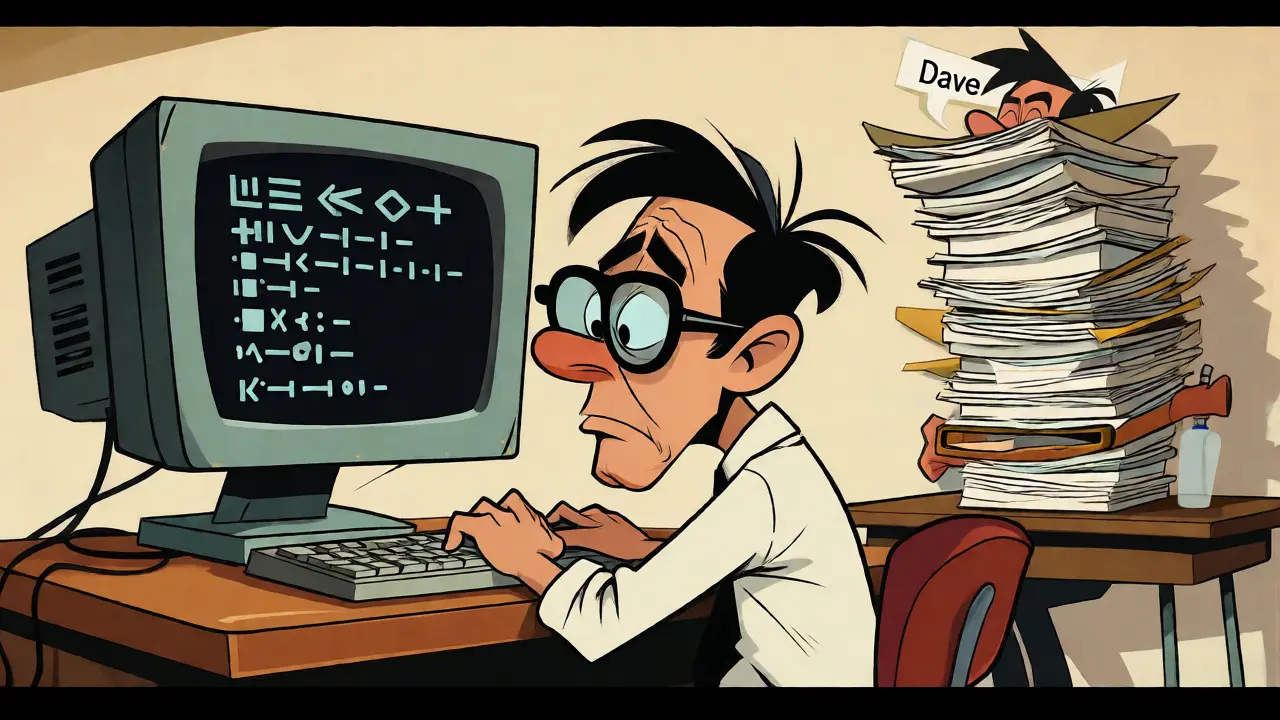
You know the feeling. It’s Friday afternoon, you’ve just pushed a complex feature branch, and now you’re waiting. Waiting for Dave to finish his sprint tasks so he can look at your pull request. Or worse, you’re Dave, staring at 400 lines of diff, trying to remember if this logic matches the spec from three weeks ago. We’ve all been there. The bottleneck isn’t usually writing the code; it’s getting that second pair of eyes on it without slowing down the entire team.
This is where the current wave of AI code review tools changes the game. But let’s be clear: these aren’t here to replace you. They are here to handle the boring stuff so you can focus on the interesting stuff. Think of them as an automated junior reviewer who never sleeps, never gets tired, and never judges your variable names (unless they’re terrible). In 2026, integrating these models into your workflow isn’t about chasing hype; it’s about surviving the volume of modern software development. Here is how to actually make it work without turning your codebase into a mess of false positives.
The New Reality of Pull Requests
If you tried AI code reviewers in 2021, you probably gave up after a week. The suggestions were generic, often wrong, and mostly annoying. Fast forward to today, and the landscape has shifted dramatically. Tools like GitHub Copilot, Greptile, and CodeRabbit have matured from simple linters into context-aware assistants. They don’t just check syntax; they understand intent.
Take Microsoft’s internal engineering teams, for example. By mid-2024, they had deployed an AI reviewer across 5,000 repositories. The result? A 10-20% improvement in median PR completion times. That’s not magic; it’s efficiency. The AI catches null pointer exceptions, missing error handling, and security vulnerabilities before a human even opens the tab. This allows senior engineers to skip the "did you forget to close this database connection?" phase and jump straight to "does this architecture scale?"
But here’s the catch: it only works if you treat it as a partner, not a gatekeeper. If you configure your pipeline to block merges on every AI suggestion, you’ll create friction. If you ignore it completely, you miss out on the speed boost. The sweet spot is a collaborative workflow where the AI acts as the first line of defense, filtering noise so humans can focus on signal.
Anatomy of a Human + AI Workflow
So, what does this actually look like day-to-day? It’s not just installing a plugin and hoping for the best. A robust pair reviewing workflow follows a specific sequence designed to maximize leverage while minimizing annoyance.
- The Trigger: You open a Pull Request (PR). Instead of pinging a colleague immediately, the event triggers your AI tool. Whether it’s GitHub Actions or a GitLab webhook, the system knows a change happened.
- Contextual Parsing: The tool doesn’t just look at the diff. Modern systems like Greptile clone the repository to build an Abstract Syntax Tree (AST) of the entire codebase. This means it understands how your change affects other parts of the app, not just the lines you touched.
- Static & Semantic Analysis: First, traditional linters run. Then, the Large Language Model (LLM) steps in. It checks for logical errors, potential race conditions, and style consistency against your project’s specific rules.
- Feedback Loop: The AI posts inline comments directly in the PR discussion thread. Crucially, these are categorized. You might see tags like
security-risk,performance-hint, orstyle-nitpick. - Human Triage: This is the critical step. You, the author, address the valid points. Then, when you request a human review, the reviewer sees a cleaner diff. They aren’t wasting time spotting obvious typos; they’re evaluating business logic.
This structure shifts the burden. The AI handles the "what" (is this code syntactically correct?), while the human handles the "why" (does this solve the user’s problem?).
Choosing Your Weapon: Tool Comparison
Not all AI reviewers are created equal. Some excel at security, others at architectural context. Choosing the right one depends on your team’s pain points. Are you drowning in syntax errors? Or are you struggling with complex legacy refactors?
| Tool | Primary Strength | Context Awareness | Pricing Model | Best For |
|---|---|---|---|---|
| GitHub Copilot | IDE Integration & Speed | PR Changes Only | $10/user/month | Teams already in the GitHub ecosystem wanting quick wins. |
| Greptile | Deep Codebase Context | Entire Repository | Custom Enterprise | Complex monorepos where understanding cross-file dependencies is critical. |
| CodeRabbit | Learning from Feedback | Workflow Context | Free Tier / $29 Pro | Startups needing customizable rules and interactive Q&A. |
| Qodo Merge | Complex Logic Patterns | High | Enterprise | Large engineering orgs dealing with intricate business logic. |
| Aider | Privacy & Local Control | Local Terminal | Free (Open Source) | Security-sensitive teams that cannot send code to the cloud. |
Notice the distinction in context awareness. GitHub Copilot is fantastic for immediate feedback within VS Code, but it generally analyzes the diff in isolation. Greptile, by contrast, indexes your whole repo. If you change a function signature in a utility file, Greptile knows which five other services call that function and flags potential breakages. For small projects, Copilot is enough. For enterprise-scale monoliths, you need that broader view.
Managing False Positives and Noise
Let’s talk about the elephant in the room: false positives. Early adopters of tools like Qodo Merge reported generating nearly 50 false alarms per 100 PRs. That’s a disaster. If your AI cries wolf too often, developers will start ignoring it entirely-a phenomenon known as "alert fatigue."
To combat this, you must invest in configuration. Don’t accept the default settings. Spend those first few weeks tweaking rules. If your team uses snake_case but the AI keeps suggesting camelCase, disable that rule. If the AI constantly flags deprecated libraries you’ve intentionally kept for compatibility, whitelist them.
A practical heuristic we use in Portland dev shops is the "Two-Strike Rule." If the AI flags an issue twice in a row and the human reviewer dismisses it both times, adjust the prompt or rule set. Treat the AI like a new hire. It needs training. Many tools, such as CodeRabbit, allow you to provide explicit feedback on suggestions (thumbs up/down), which helps the model learn your team’s specific preferences over time.
The Human Element: Avoiding Skill Atrophy
There’s a subtle danger in relying too heavily on automation. The Alan Turing Institute noted in early 2025 that over-reliance on AI reviews can lead to skill atrophy in junior developers. If the AI always catches the bug, the junior engineer never learns to spot it themselves. They become dependent on the safety net rather than developing their own intuition.
To prevent this, enforce a "Explain Why" policy. When a junior developer accepts an AI suggestion, they should briefly comment on why it was correct. Conversely, if they reject it, they must justify the rejection. This turns the code review process into a learning opportunity. Senior engineers can then intervene not just to approve code, but to mentor. They can say, "The AI caught the null check, but did you consider the impact on latency?" This keeps the human brain engaged.
Also, reserve certain types of reviews for humans exclusively. Architectural decisions, database schema changes, and security-critical auth flows should always have a senior human sign-off. Let the AI handle the boilerplate, the linting, and the obvious bugs. Keep the high-stakes judgment calls in human hands.
Implementation Checklist for Teams
Ready to roll this out? Don’t try to boil the ocean. Start small. Here is a pragmatic roadmap for integrating AI into your existing CI/CD pipeline.
- Pilot Program: Pick one non-critical repository. Run the AI tool in "comment-only" mode. Do not block merges yet. Observe the output for two sprints.
- Rule Tuning: Gather data on false positives. Disable noisy rules. Customize the prompt to reflect your team’s coding standards (e.g., "We prefer composition over inheritance").
- Integration: Connect the tool to your PR platform (GitHub/GitLab). Ensure it posts comments in threads, not as separate status checks, to keep the UI clean.
- Team Onboarding: Train developers on how to interpret AI feedback. Emphasize that AI suggestions are advisory, not mandatory.
- Metrics Tracking: Monitor key metrics: Time-to-Merge, Number of Escaped Bugs, and Developer Satisfaction. Compare these against your baseline before AI implementation.
One common pitfall is expecting immediate perfection. Give the system six months to stabilize. As noted by industry analyses, the most successful teams are those that integrate one or two tools deeply rather than scattering ten shallow ones across their stack.
The Future: Agentic Reviews
We are already seeing the next evolution: agentic AI. Instead of just commenting, some advanced setups allow the AI to propose a fix, wait for approval, and then commit the change itself. Imagine opening a PR and having the AI automatically refactor a messy function based on a comment you left. While still emerging, this capability promises to reduce the back-and-forth cycles that plague large teams.
For now, stick to the core principle: augment, don’t automate blindly. The goal is to free up human cognitive load for creative problem-solving, not to remove humans from the equation entirely. When done right, AI code review feels less like a robot judge and more like a tireless teammate who has read every documentation page ever written.
Does AI code review replace human reviewers?
No. AI excels at catching syntax errors, style violations, and common bugs, but it lacks the contextual understanding of business requirements and architectural trade-offs. Human reviewers are essential for verifying that the code solves the actual problem and fits the long-term vision of the product.
How much does AI code review cost?
Costs vary widely. GitHub Copilot starts around $10/user/month. Specialized tools like CodeRabbit offer free tiers with paid plans starting near $29/user/month. Enterprise solutions like Greptile or Qodo typically use custom pricing based on repository size and usage volume.
What happens if the AI gives bad advice?
You should always have the ability to override AI suggestions. Most platforms allow you to mark suggestions as "dismissed" or "false positive," which helps train the model over time. Never let AI suggestions block a merge automatically without human oversight during the initial adoption phase.
Is my code safe sending it to an AI service?
Reputable providers like GitHub and Greptile adhere to strict data privacy standards, ensuring your code is not used to train public models without consent. However, for highly sensitive intellectual property, consider local-first tools like Aider, which run models locally on your machine, keeping code entirely within your infrastructure.
How do I measure the ROI of AI code review?
Track metrics such as average time-to-merge, number of escaped defects (bugs found in production), and developer satisfaction scores. Successful implementations typically show a 10-20% reduction in PR completion time and a noticeable decrease in trivial review comments.


the idea of augmenting rather than replacing is crucial here
we often forget that code review isn't just about catching bugs it's about knowledge transfer and mentorship
if the ai handles the syntax then seniors can focus on architecture but we must be careful not to let juniors skip the struggle of learning patterns themselves
there is a philosophical risk in outsourcing our cognitive load too early in a career
it reminds me of how calculators changed math education where basic intuition sometimes fades
so yes use the tools but keep the human element central to growth
This is exactly what i told my team last year.
They ignored me because they thought AI was a gimmick.
Now they beg for more licenses.
People never learn until they burn.
Finally!!! Someone says it straight!!!
The industry has been drowning in mediocre code for YEARS!!!
And why?? Because lazy developers refuse to read documentation!!!
These "AI tools" are just crutches for people who can't write proper functions!!!
I don't need a robot telling me my variable names are bad!!! I know they're bad!!!
I chose them for speed!!! Not for beauty!!!
If your codebase is messy, fix your discipline, not your tech stack!!!
you think its just efficiency?
its control.
whoever owns the model owns the truth of the code.
they feed us suggestions that subtly shift best practices towards their ecosystem.
once you rely on the black box you lose the ability to question the standard.
its slow creep.
next thing you know you cant merge without their blessing.
wake up.
I completely agree with the sentiment regarding skill atrophy. It is a genuine concern that deserves far more attention than it currently receives in most engineering blogs. When we automate the detection of trivial errors, we inadvertently remove the friction that forces junior engineers to internalize coding standards. This friction is painful, yes, but it is also pedagogical. Without the immediate feedback loop of a senior developer pointing out a mistake, the neural pathways associated with recognizing those patterns do not form as robustly. Therefore, while the AI serves as an excellent filter for noise, it should never replace the dialogue between mentors and mentees. We must curate the workflow so that the AI handles the mechanical aspects, leaving the interpretive and educational aspects strictly human. Otherwise, we risk producing a generation of developers who can prompt a model but cannot debug a race condition from first principles.
Love this perspective! Especially the part about treating AI like a new hire. That mindset shift changes everything. Instead of fighting the tool, you coach it. And coaching your team to coach the tool builds better communication skills overall. Keep up the great work!
It is with a sense of profound contemplation that I observe this digital metamorphosis.
The tapestry of code, once woven solely by human hands, now bears the threads of silicon intellect.
We stand at a precipice where the artisanal craft of programming merges with the algorithmic inevitability of machine learning.
To dismiss this evolution is to ignore the shifting tides of our technological epoch.
Yet, to embrace it blindly is to surrender the soul of creation to cold logic.
The balance lies in the delicate dance between intuition and iteration.
Let us proceed with caution, reverence, and an unwavering commitment to clarity.
Good point on mentorship.