
You know that feeling when you ask a chatbot something and it just sits there? The cursor blinks. You wonder if it crashed. Then, suddenly, the whole paragraph appears at once. That delay isn't just annoying; in production environments, it kills engagement. If your Large Language Model takes more than 500 milliseconds to spit out the first character, users start clicking away. It’s not magic that makes responses feel instant-it’s engineering. Specifically, it’s about mastering three core techniques: streaming, batching, and caching.
Let’s be real. Most people think optimizing an LLM means buying a faster GPU. Sometimes that helps. But often, you’re leaving massive performance gains on the table by ignoring how data moves through your system. We’re talking about reducing Time-To-First-Token (TTFT) and boosting Output Tokens Per Second (OTPS). These aren’t just vanity metrics. A drop in TTFT from 800ms to 200ms can increase user retention by nearly 35%. And if you do it right, you might even cut your infrastructure bill by 20-40% because you’re squeezing more work out of every cycle.
Why Latency Matters More Than Throughput
There is a common misconception that throughput (how many requests you handle per second) is the only thing that matters. For batch jobs, sure. But for interactive apps like copilots or customer support bots, latency is king. Users don’t care that you processed 1,000 other queries in parallel if their specific answer took two seconds to appear.
The industry standard has shifted. Back in 2022, anything under a second was fine. Now, leading implementations aim for TTFT under 200ms. Some advanced setups hit 50ms. How? By breaking down the monolithic inference process into manageable chunks. When you treat generation as a stream rather than a block, you change the user’s perception of speed entirely. They see text appearing word-by-word, which feels responsive even if the full sentence takes a moment to complete.
Streaming: Making Wait Times Invisible
Streaming is the low-hanging fruit. Instead of waiting for the entire response to generate before sending it to the client, you send tokens as soon as they are ready. This doesn’t necessarily make the total generation time faster, but it drastically improves perceived latency.
However, naive streaming can be inefficient. If you send one token at a time over HTTP, you’re wasting bandwidth and CPU cycles on overhead. Modern frameworks like vLLM use micro-batching during the streaming phase. They group small chunks of tokens together before flushing them to the network. This keeps the connection busy without overwhelming the client with tiny packets.
Here’s the catch: streaming exposes the underlying model’s jitter. If your model pauses for 200ms between sentences due to memory constraints, the user sees that pause. To fix this, you need consistent decoding speeds. This is where batching and caching come in to stabilize the pipeline.
Batching: Squeezing Every Drop of GPU Power
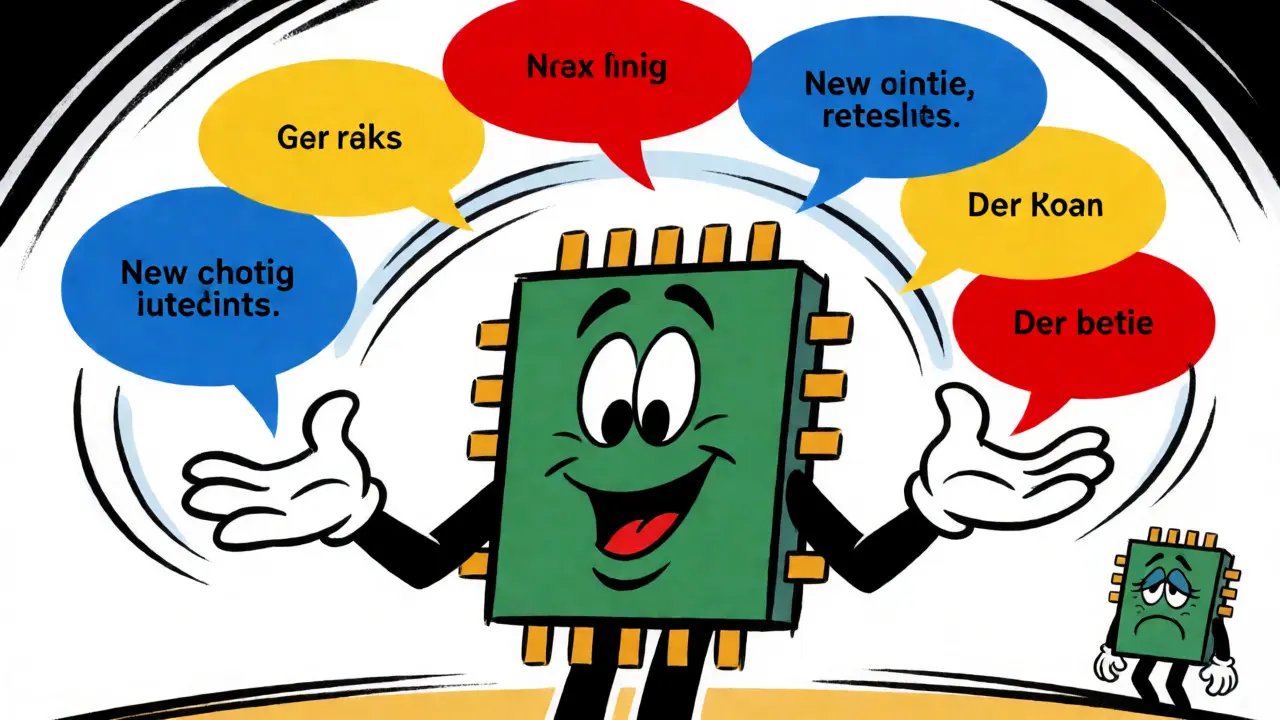
GPUs hate idle time. They love big matrices. If you send requests to your model one by one, you’re underutilizing your hardware. Batching groups multiple requests so the GPU processes them simultaneously. This increases arithmetic intensity, meaning you get more useful computation per byte of data moved.
But static batching-where you wait until you have exactly 32 requests to form a batch-is flawed. What if you only have 5 requests? You either wait too long (increasing latency) or run a half-empty batch (wasting resources). Enter dynamic or continuous batching. Tools like vLLM allow new requests to join an existing batch mid-flight. As soon as a sequence finishes generating, its slot opens up for a new request. This approach maximizes GPU utilization by 30-50% compared to static methods.
| Metric | Static Batching | Continuous Batching |
|---|---|---|
| GPU Utilization | Variable (often <60%) | High (typically >85%) |
| Tail Latency (P95) | High (waits for largest batch) | Lower (dynamic scheduling) |
| Throughput | Baseline | ~2.1x Improvement |
| Complexity | Low | Medium (requires scheduler) |
Don’t fall into the trap of making batches too large. While bigger batches improve throughput, they can hurt tail latency. If a short query gets stuck behind a long, complex prompt, the user waits unnecessarily. The sweet spot depends on your traffic pattern. High-volume APIs benefit from larger batches; interactive chatbots need smaller, faster-cycling ones.
Caching: The Art of Not Doing Work Twice
Have you ever noticed that asking the same question twice yields the exact same answer instantly the second time? That’s caching. In LLMs, we primarily rely on Key-Value (KV) caching. During the attention mechanism, the model calculates keys and values for previous tokens. Without caching, it recalculates these for every new token generated. With KV caching, it stores them in GPU memory.
This saves massive amounts of compute. However, memory is finite. A 7B parameter model can consume 20-30GB of VRAM just for KV caches during long conversations. If you exceed this limit, you face Out-of-Memory errors or slow evictions. This is why eviction policies matter. Simple Least Recently Used (LRU) strategies often fail in LLM contexts because older context is still relevant. You need smarter policies that understand semantic relevance or conversation turns.
Beyond KV caching, consider prompt caching. If many users share the same system prompt or few-shot examples, you can cache those embeddings. Redis-based implementations have shown 2-3x speedups for repetitive queries. Just be careful: stale cache entries can cause hallucinations if the underlying model weights update or if the context window shifts unexpectedly.

Advanced Tactics: Tensor Parallelism and Speculative Decoding
Once you’ve mastered the basics, look at hardware-level optimizations. Tensor parallelism splits model layers across multiple GPUs. If you have four H100s connected via NVLink, you can split a single layer’s matrix multiplication across all four. This reduces the computational load per GPU, cutting latency by up to 33% for larger batch sizes. But beware: communication overhead between GPUs can eat into gains if your interconnect is slow.
Then there’s speculative decoding. This technique uses a small, fast "draft" model to predict several tokens ahead. The large, accurate model then verifies these predictions in parallel. If the draft is correct, you skip the slow step-by-step generation. Studies show this can yield a 2.4x speedup with negligible accuracy loss. It’s brilliant for high-latency scenarios but requires tuning the draft model to match the target model’s output distribution closely.
Pitfalls to Avoid
Optimization is easy to break. Here are three traps I’ve seen teams fall into:
- Over-aggressive Caching: Caching everything leads to fragmentation. If your KV cache hits 80% capacity, performance drops off a cliff because of eviction costs. Monitor memory pressure closely.
- Ignoring Network Latency: Optimizing GPU compute is useless if your API gateway adds 100ms of overhead. Profile the entire stack, not just the model.
- One-Size-Fits-All Batching: Treating a code-generation request the same as a simple Q&A is a mistake. Use adaptive batching that adjusts based on estimated token counts.
Remember, latency optimization is a balancing act. You trade complexity for speed. Start with streaming-it’s the easiest win. Then implement continuous batching. Finally, add smart caching. Measure everything. If you’re not seeing sub-200ms TTFT, dig deeper into your scheduler or memory management.
What is Time-To-First-Token (TTFT)?
TTFT is the time elapsed between sending a request to the LLM and receiving the very first token of the response. It is a critical metric for user experience because it determines how quickly the interface reacts to user input. High TTFT makes applications feel sluggish, even if the rest of the generation is fast.
How does continuous batching differ from static batching?
Static batching collects a fixed number of requests before processing them, causing delays if requests arrive irregularly. Continuous batching dynamically adds new requests to active batches and removes completed ones in real-time. This keeps the GPU fully utilized regardless of traffic spikes or lulls, significantly improving throughput and reducing tail latency.
Does KV caching affect model accuracy?
Generally, no. KV caching stores intermediate calculations that would otherwise be recomputed, so the mathematical result remains identical. However, improper implementation, such as incorrect eviction policies or cache corruption, can lead to errors. Additionally, some aggressive compression techniques used alongside caching may introduce minor numerical differences, though these are usually negligible for most applications.
When should I use speculative decoding?
Use speculative decoding when you have strict latency requirements and can afford the extra compute cost of running two models. It works best when the draft model has a high acceptance rate (meaning its predictions often match the main model). It is less effective for highly creative or unpredictable outputs where the draft model frequently guesses wrong.
How much GPU memory does KV caching require?
Memory usage scales linearly with batch size and sequence length. For a 7B parameter model, expect roughly 20-30GB of VRAM per GPU for moderate batch sizes and context lengths. Larger models like 70B parameters require significantly more, often necessitating multi-GPU setups or quantization techniques to fit within available memory limits.

this is honestly the most practical breakdown of llm latency i've seen in a while. usually people just say "get more gpus" and call it a day, but the point about continuous batching vs static is huge for real-world apps. definitely going to try implementing that scheduler tweak on our dev cluster.
While the post covers the basics well, it glosses over the critical importance of quantization techniques like AWQ or GPTQ which can reduce memory footprint by 4x without significant accuracy loss. You cannot discuss KV cache limits without mentioning how quantization allows larger batch sizes on consumer hardware. Furthermore, speculative decoding acceptance rates are often overstated in controlled benchmarks; in production with diverse user prompts, the draft model mismatch rate can spike to 30%, negating the speedup. One must also consider the overhead of tokenization and detokenization steps which add non-negligible milliseconds to TTFT if not optimized via Rust-based libraries like Hugging Face Tokenizers or SentencePiece compiled properly. Ignoring these layers leads to a false sense of performance gains when moving from prototype to production scale.
Love this! The section on streaming really resonated with me because we were struggling with users thinking the bot was broken during those initial pauses. Switching to SSE (Server-Sent Events) instead of WebSockets for our specific use case actually simplified the client-side logic significantly while keeping the perceived latency low. It’s amazing how much psychology plays into technical metrics like TTFT.
It is fascinating, yet ultimately trivial, how we obsess over milliseconds while ignoring the existential weight of the generated text itself. We treat language models as mere calculators, optimizing their output streams as if they were water pipes, forgetting that each token carries the ghost of human intent. The "jitter" mentioned is not merely a technical flaw but a metaphor for the inherent instability of meaning in a digital void. To reduce latency is to accelerate the erosion of contemplation, forcing us to consume thought before it has fully formed. We are engineering our own cognitive atrophy through efficiency.
typical tech bro nonsense. nobody cares about your 200ms ttft when the model hallucinates half the time. you're polishing turds. the real issue is context window limitations and poor training data, not some fancy batching trick that only works until traffic spikes. everyone's so busy measuring microseconds they forget to check if the answer is even correct. sad state of affairs.
I literally gasped out loud reading the part about the cursor blinking!! 😱 It feels like watching paint dry but worse because you don't know if it's dead or alive. I had this one project where the API gateway added 150ms overhead and I wanted to throw my laptop out the window. It’s such a relief to see someone acknowledge that network stack issues are just as deadly as GPU compute time. This article saved my sanity today, seriously.
oh wow, the bit about eviction policies failing in LLM contexts blew my mind 🤯 i always assumed LRU was the golden standard, but realizing that older context is still semantically relevant changes everything. it’s like trying to clean your desk by throwing away the oldest papers, only to realize they’re the instructions for the current task. definitely need to look into smarter semantic caching strategies. thanks for sharing!
This is exactly what teams need to hear right now. Stop buying more GPUs and start fixing your architecture! Continuous batching is the single biggest ROI move you can make for any high-traffic LLM application. If you aren't using vLLM or TGI with dynamic batching enabled, you are literally burning money. Go implement this today, measure the P95 latency drop, and then come back here to tell me I wasn't right. You have the power to fix this, stop making excuses!
wake up sheeple... the cloud providers want you to think it's about optimization but really they just want you to rent more instances. every time you optimize code they release a new "faster" chip that costs double. it's a planned obsolescence game. keep spending your cash on h100s while they laugh all the way to the bank