
You’ve built your Retrieval-Augmented Generation (RAG) system. You have a large language model ready to chat. But when you ask it a question about your specific company data, it hallucinates or gives vague answers. The bottleneck isn’t the LLM; it’s how you’re storing and retrieving your data. Designing vector stores for RAG is less about picking a database and more about architecting a pipeline that turns raw text into precise, searchable meaning.
Most developers treat vector storage as an afterthought, dumping embeddings into a default bucket and hoping for the best. This leads to slow retrieval, irrelevant context, and frustrated users. To build a production-grade RAG system in 2026, you need to master two distinct phases: indexing (how you prepare and store data) and storage (where and how you keep it). Let’s break down exactly how to design these components for speed, accuracy, and scalability.
The Foundation: Why Vector Stores Are Non-Negotiable for RAG
Traditional databases rely on exact keyword matches. If you search for "car," they won’t find "automobile." Large Language Models understand semantics, but their internal knowledge is static. RAG bridges this gap by fetching external data at runtime. The vector store is the engine of this process. It converts text chunks into high-dimensional vectors-lists of numbers representing semantic meaning-and allows the system to find similar concepts rather than identical words.
Vector Databases are specialized systems designed to store, index, and query high-dimensional vector embeddings efficiently using approximate nearest neighbor algorithms. They differ from traditional SQL databases by prioritizing semantic similarity over exact key-value matches.Without a robust vector store, your RAG system cannot perform semantic search. You might retrieve documents that contain the right keywords but miss the core intent of the user's query. For example, a query like "how do I reset my password" should match a document titled "Account Recovery Steps," even if the word "reset" never appears there. This requires cosine similarity or Euclidean distance calculations across millions of dimensions, which standard databases simply cannot handle efficiently.
Phase 1: Mastering the Indexing Pipeline
Indexing is where most RAG projects fail. It’s not just about saving vectors; it’s about preparing them correctly. A poorly indexed store is fast but inaccurate. An overly complex index is accurate but too slow for real-time applications. Your indexing strategy must balance precision with latency.
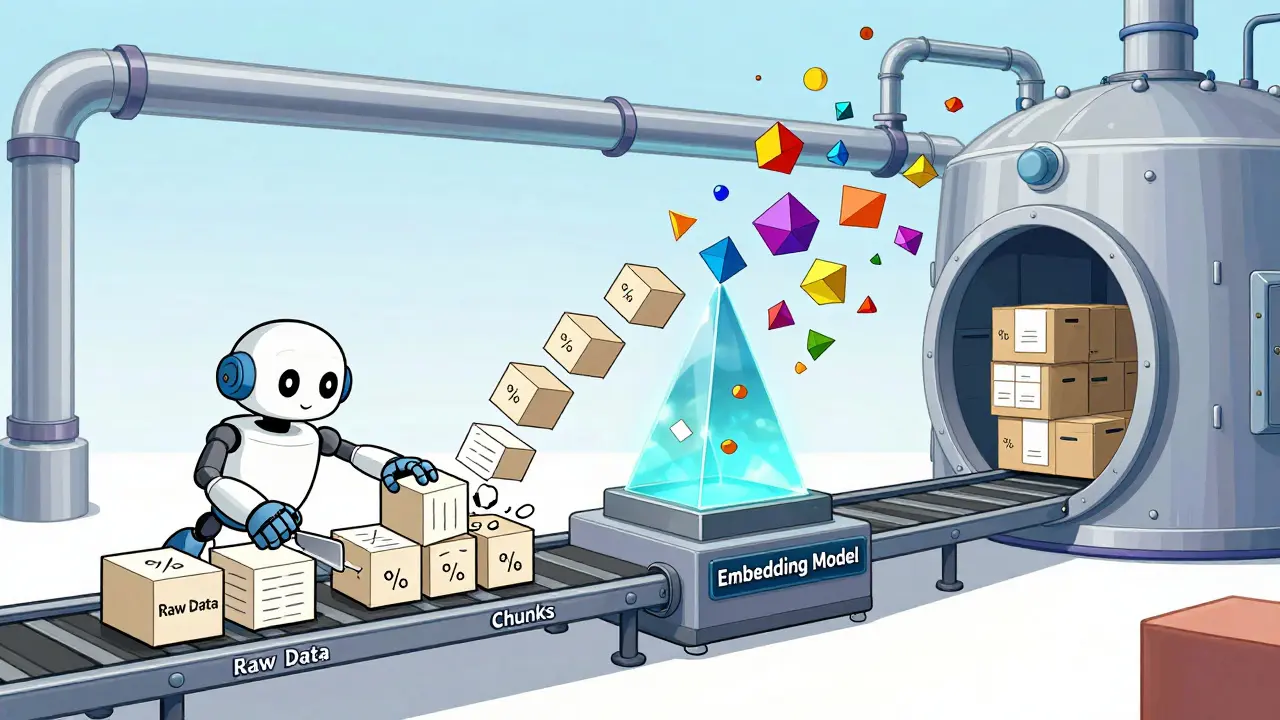
- Data Loading: Ingest your raw data from PDFs, databases, or APIs. Cleanliness matters here. Garbage in, garbage out.
- Data Splitting (Chunking): Break large documents into smaller, manageable pieces. This is critical. If you chunk a legal contract into 5,000-word blocks, the embedding will lose specific clause details. Aim for 300-500 tokens per chunk, with slight overlap (10-20%) to preserve context boundaries.
- Data Embedding: Convert each chunk into a vector using an embedding model. Popular choices include OpenAI’s `text-embedding-3-small` or open-source models like `hkunlp/instructor-large`. The choice of model dictates the dimensionality of your vectors (e.g., 1,536 dimensions vs. 768).
- Data Storage: Write these vectors, along with metadata and original text pointers, into your vector store.
The embedding step is the heart of indexing. You must use the same embedding model for both indexing your database and encoding user queries. Mixing models results in incompatible vector spaces, leading to zero relevant results. When you embed text, you’re creating a mathematical fingerprint of its meaning. Ensure your embeddings are normalized if your distance metric relies on cosine similarity, as this improves consistency.
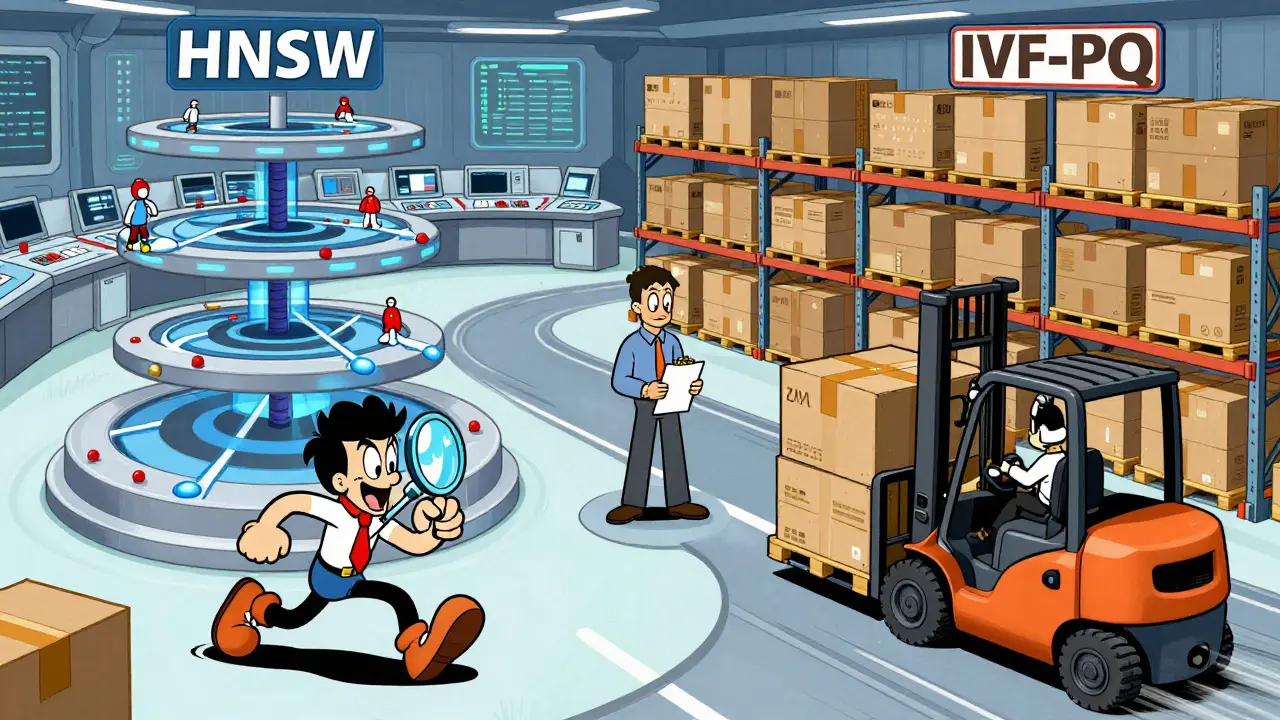
Choosing Your Indexing Algorithm: HNSW vs. IVF-PQ
Once your vectors are generated, you need an algorithm to organize them for fast retrieval. Scanning every single vector in a database of millions is computationally expensive. That’s why we use Approximate Nearest Neighbor (ANN) algorithms. Two dominant approaches define modern vector indexing:
- HNSW (Hierarchical Navigable Small World): This graph-based algorithm offers extremely high recall (accuracy) and low latency. It builds a multi-layered graph structure where navigation shortcuts allow rapid traversal to the nearest neighbors. HNSW is ideal for smaller to medium-sized datasets (up to tens of millions of vectors) where accuracy is paramount. It uses more memory but delivers consistent performance.
- IVF-PQ (Inverted File with Product Quantization): This method clusters vectors into partitions (IVF) and then compresses them (PQ). It’s much faster to build and uses significantly less memory than HNSW. However, it sacrifices some accuracy. IVF-PQ is better suited for massive datasets (hundreds of millions to billions of vectors) where slight trade-offs in recall are acceptable for scale and cost efficiency.
If you are building a customer support bot for a mid-sized SaaS company, choose HNSW. Users expect precise answers. If you are indexing a global e-commerce catalog with billions of products, IVF-PQ might be the only viable option to keep costs down.
Storage Architectures: Specialized vs. Integrated
Where you store your vectors depends on your existing infrastructure and compliance needs. In 2026, you have three primary paths: specialized vector databases, integrated extensions in relational databases, and managed cloud services.
| Solution Type | Examples | Best For | Key Advantage |
|---|---|---|---|
| Specialized Vector DB | Pinecone, Milvus, Weaviate | High-scale, pure AI workloads | Optimized indexing algorithms, easy setup |
| Relational Extension | PostgreSQL (pgvector), MongoDB Atlas | Existing data pipelines, ACID compliance | Unified schema, joins with structured data |
| In-Memory Library | FAISS (Facebook AI Similarity Search) | Prototyping, local deployments | Extreme speed, no network overhead |
| Managed Cloud Service | AWS Bedrock Knowledge Bases, Azure AI Search | Enterprise governance, security | Integrated observability, compliance tools |
PostgreSQL with pgvector has become a powerhouse for RAG. By adding the pgvector extension to Aurora or standard Postgres, you can store vectors alongside your transactional data. This is crucial if your RAG system needs to join semantic results with user profiles or order history. It eliminates the complexity of syncing two separate databases.
FAISS, developed by Facebook AI, remains the gold standard for lightweight, in-memory indexing. It’s perfect for prototyping or edge devices. You can create an index, save it locally, and load it instantly without network calls. However, it lacks persistence features and distributed scaling capabilities out of the box, making it less suitable for large enterprise applications.
MongoDB Atlas offers native vector search within its operational database. This simplifies the stack for teams already using MongoDB. You don’t need a bolt-on vector database; you index your existing JSON documents directly. This reduces architectural complexity and ensures data consistency.
Metadata Filtering: The Secret to Precision
Storing vectors alone is rarely enough. Imagine a healthcare app where a doctor asks, "What are the side effects of Drug X?" If your vector store returns information about Drug X used in veterinary medicine, you have a serious problem. This is where metadata filtering comes in.
Your vector store should support pre-filtering or post-filtering based on metadata attributes like date, author, department, or language. Pre-filtering restricts the search space before calculating vector similarity, which is faster and more accurate for narrow queries. For instance, you can filter for `department: 'HR'` AND `year: '2026'` before performing the semantic search. This ensures the LLM receives contextually appropriate chunks, reducing hallucinations and improving response relevance.
When designing your schema, always attach rich metadata to each vector. Include source URLs, document IDs, timestamps, and access control tags. This transforms your vector store from a simple search engine into a governed knowledge base.
Optimizing for Latency and Cost
RAG systems are only as good as their speed. If it takes five seconds to retrieve context, the user experience suffers. Here are practical tips to optimize your vector store design:
- Use Hybrid Search: Combine vector similarity with keyword matching (BM25). Vector search captures meaning, while keyword search catches exact terms like product codes or names. Many modern platforms support hybrid scoring to rank results by a weighted combination of both.
- Dimensionality Reduction: Higher-dimensional vectors (e.g., 3,072 dims) are more accurate but consume more memory and compute power. Test if lower-dimensional models (e.g., 768 dims) provide sufficient accuracy for your use case. The savings in storage and inference time can be significant.
- Caching Frequent Queries: Implement a cache layer (like Redis) for common questions. If 100 users ask "What is our return policy?" every day, don’t re-index and re-search every time. Serve the cached context instantly.
- Batch Embeddings: During the indexing phase, send data in batches to your embedding API. This reduces API call overhead and speeds up initial population of your vector store.
Future-Proofing Your RAG Architecture
The landscape of vector stores is evolving rapidly. As multimodal LLMs become standard, your vector store may need to handle images, audio, and video embeddings alongside text. Choose a platform that supports flexible data types and scalable indexing strategies. Avoid vendor lock-in by abstracting your vector operations behind a clean interface. This allows you to swap out FAISS for Pinecone or PostgreSQL without rewriting your entire application logic.
Remember, the goal of designing a vector store for RAG is not just to store data-it’s to make that data intelligible to the LLM. By carefully chunking your text, selecting the right indexing algorithm, leveraging metadata filters, and choosing a storage solution that fits your scale, you transform a generic chatbot into a precise, trustworthy assistant.
What is the difference between FAISS and a dedicated vector database?
FAISS is an in-memory library optimized for speed and simplicity, ideal for prototyping or small-scale deployments. Dedicated vector databases like Pinecone or Milvus offer persistence, distributed scaling, metadata filtering, and management features out of the box, making them suitable for production enterprise applications.
How should I chunk my documents for optimal RAG performance?
Aim for chunks of 300-500 tokens with a 10-20% overlap. This size balances context preservation with embedding clarity. Too large, and the embedding becomes diluted; too small, and you lose semantic coherence. Always test different chunk sizes against your specific dataset.
Can I use PostgreSQL for vector storage in RAG?
Yes, using the pgvector extension. PostgreSQL is excellent for RAG if you need to join vector search results with structured relational data, require ACID compliance, or want to avoid managing a separate vector database service.
What is HNSW and why is it important for vector indexing?
HNSW (Hierarchical Navigable Small World) is an approximate nearest neighbor algorithm that creates a graph structure for fast vector search. It offers high accuracy and low latency, making it ideal for datasets where precise retrieval is critical, though it uses more memory than alternatives like IVF-PQ.
Why is metadata filtering essential in RAG systems?
Metadata filtering restricts the search space to relevant subsets of data before semantic matching occurs. This prevents irrelevant results (e.g., showing veterinary drug info to a human doctor) and improves both accuracy and query speed by reducing the number of vectors to compare.