
You ask an AI to design a system. It gives you a confident answer with microservices, Kubernetes, and Redis. But when you actually build it, the thing falls apart under load or costs too much to maintain. Why? Because the AI didn't know your team size, your budget, or that you already have a legacy SQL database you can't drop.
This is the core problem architecture-aware prompting solves. Most people treat AI like a magic code generator. They paste a vague request and expect a perfect blueprint. But architecture isn't about writing code; it's about making trade-offs. And AI can't make good trade-offs if you don't give it the context to weigh them. This guide breaks down how to structure your prompts so AI acts like a senior architect instead of a junior dev guessing at requirements.
Why Standard Prompts Fail at Architecture
Think about the difference between debugging and designing. If you paste a stack trace into an AI, it usually finds the bug. That works because the context is contained: here is the error, here is the code. The scope is small. Architecture is the opposite. It requires exponential context. You aren't just asking "how do I store this data?" You're asking "how does this data flow affect our latency SLAs, our compliance needs, and our ability to hire developers in this region?"
When you skip that context, the AI hallucinates constraints. It might suggest a serverless architecture because it's trendy, even though your team has zero experience with cold starts. Or it might recommend a monolith because it's simple, ignoring that you need independent deployment cycles for three different teams. The quality of the AI's architectural advice is bounded by the quality of the context you provide, not the cleverness of your question. A brilliant question with poor context yields garbage. A simple question with rich context yields gold.
The Three-Part Structure of Effective Prompts
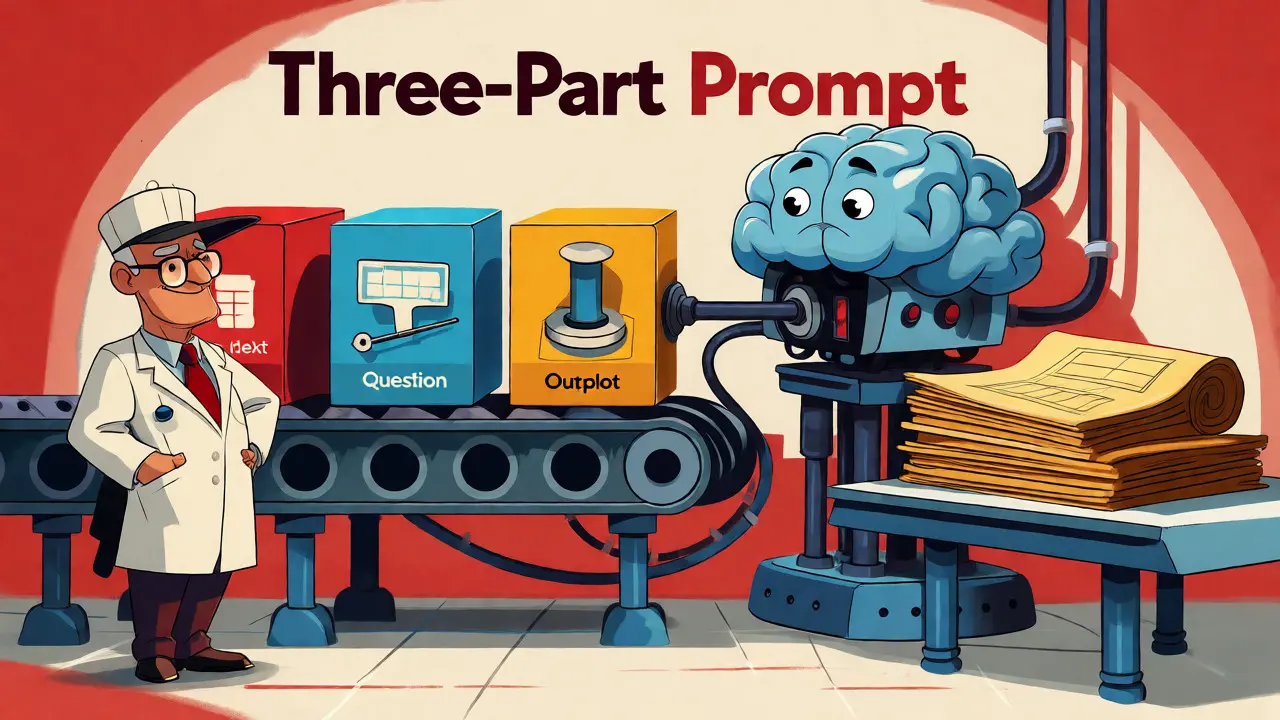
Stop trying to be clever with your wording. Focus on structure. Every effective architecture prompt needs three distinct blocks. This pattern prevents the AI from rambling with "it depends" answers.
- The Context Block: This is where you dump the reality of your situation. Include user counts, data volumes, geographic distribution, team composition (skill levels, time zones), business constraints (budget, deadlines), and existing tech stack. Don't summarize; be specific. "We have 50k daily active users" is better than "we have many users."
- The Focused Question: Narrow the inquiry. Don't ask "design my app." Ask "evaluate the trade-offs of using PostgreSQL vs. DynamoDB for our checkout service given our read-heavy workload and strict consistency requirements."
- The Output Structure: Tell the AI exactly how to format its response. Require a table comparing options. Demand a list of risks. Ask for an Architecture Decision Record (ADR) format. This forces the model to organize its thoughts logically rather than generating prose.
For example, instead of saying "Help me choose a database," try this: "Context: We are building a high-frequency trading dashboard. Team: 3 senior engineers, no DBA. Constraints: Sub-millisecond reads, write throughput of 10k TPS, open-source only. Question: Compare TimescaleDB and InfluxDB for this use case. Output: A comparison table focusing on query complexity, operational overhead, and community support, followed by a recommendation."
Decompose Before You Select Technology
One of the biggest mistakes teams make is letting the AI pick tools before defining components. You end up with a solution looking for a problem. To fix this, force decomposition first. Ask the AI to break down your vague requirements into independent functional components. Only after those components are defined should you ask about technology choices for each one.
This approach mirrors the "black box interface" concept found in systems engineering. By defining clean APIs between modules early, you ensure that each part of the system has a single responsibility. When you prompt the AI to define these interfaces, you prevent tight coupling later. For instance, if you separate the "User Authentication" component from the "Billing Service," you can swap out the billing provider without touching the auth logic. Prompting for API contracts before implementation saves weeks of refactoring.
| Feature | Standard Prompting | Architecture-Aware Prompting |
|---|---|---|
| Context Provided | Vague or minimal | Comprehensive (team, scale, constraints) |
| Focus | Code generation | Trade-off analysis and system shape |
| Output Quality | Generic best practices | Tailored recommendations with risks |
| Failure Mode | Confident but wrong assumptions | Explicit ambiguity flagging |
Using Verification Prompting for Safety
Once you have a design or even generated code, don't trust it blindly. Chris Lema popularized a technique called verification prompting, which uses multiple specialized sub-agents to review work. Imagine you've used AI to generate 30,000 lines of code. Instead of reviewing it all yourself, you send a single verification prompt that instructs the AI to split itself into three expert personas: a Security Analyst, a Code Quality Reviewer, and an Architectural Layer Expert.
Each persona reviews the entire codebase independently. The Security Analyst looks for vulnerabilities as if written by a junior dev. The Architect checks for layer violations. This multi-perspective approach catches issues a single pass would miss. In documented cases, this method identified dozens of previously undetected bugs and security flaws before deployment. It turns the AI into a rigorous QA gatekeeper rather than just a producer.
Flagging Ambiguity Early
Architects hate uncertainty, but hiding it is worse. Good architecture prompts explicitly ask the AI to identify ambiguities. Add a section to your prompt: "List any assumptions you made due to missing information. Flag any areas where the requirements are unclear."
This transforms the AI from a black box into a requirements clarification tool. If the AI assumes you have unlimited budget because you didn't specify otherwise, you catch that early. If it assumes synchronous communication because you didn't mention event-driven patterns, you correct it before coding starts. Making uncertainty explicit prevents the "confidently wrong" syndrome that plagues AI-assisted design.

Practical Tools and Workflows
You don't need custom software to start. Platforms like Claude and Cursor excel at this because they handle large context windows well. There are also specialized GitHub repositories offering prompt collections based on lectures like Eskil Steenberg’s "Architecting LARGE Software Projects." These prompts teach the AI to think in terms of replaceable components and constant velocity-prioritizing new code over maintaining legacy messes.
For visualization, tools like Midjourney or Adobe Firefly can help architects visualize concepts, but text-based architecture requires precise language. Unlike image prompts where style matters, architecture prompts require logical precision. Use parameters to control output length and tone. Keep the tone professional but direct. Avoid marketing fluff in your prompts; stick to technical facts.
Limitations You Can’t Ignore
Architecture-aware prompting doesn't replace human expertise. It shifts where that expertise is applied. You still need to know what questions to ask. If you don't understand the difference between eventual consistency and strong consistency, the AI's explanation won't help you make the right choice. The bottleneck moves from AI capability to human ability to structure the conversation.
Also, AI can still be wrong. It might recommend a technology that is theoretically perfect but practically difficult to hire for in your local market. Always validate AI recommendations against real-world hiring data and organizational politics. The AI optimizes for technical elegance; you must optimize for delivery speed and team happiness.
What is the most common mistake in architecture prompting?
The most common mistake is providing insufficient context. Users often describe the desired outcome but omit critical constraints like team size, existing infrastructure, budget limits, or compliance requirements. Without these, the AI defaults to generic "best practices" that may not fit the specific organizational reality.
Which AI models are best for architecture tasks?
Models with large context windows and strong reasoning capabilities, such as Claude 3.5 Sonnet or GPT-4o, tend to perform best. They can hold complex system descriptions in memory and reason through multi-step trade-offs more effectively than smaller models.
How does verification prompting work?
Verification prompting involves instructing the AI to adopt multiple expert personas (e.g., Security, Performance, Maintainability) to independently review generated code or designs. This multi-agent simulation helps catch edge cases and errors that a single perspective might overlook.
Can AI replace human software architects?
No. AI accelerates decision-making and documentation but lacks the nuanced understanding of organizational culture, political dynamics, and long-term strategic vision. Human architects remain essential for validating AI suggestions and making final judgment calls on ambiguous trade-offs.
Should I include code snippets in architecture prompts?
Yes, if relevant. Including schema definitions, API contracts, or key algorithmic structures provides concrete evidence of current state. However, avoid dumping entire files; focus on interfaces and data models that influence architectural decisions.

love this approach
the part about decomposition before tool selection is gold and i've been making that exact mistake for years
This is just prompt engineering fluff wrapped in architectural jargon. You don't need a "three-part structure" to get good results you just need to actually know what you're doing. If the AI gives you garbage it's because your requirements are vague not because you didn't format your text into neat little blocks. Real architects don't rely on templates they rely on experience and intuition which LLMs lack entirely. Stop trying to automate judgment.
totally agree with the verification prompting section its crazy how many bugs slip through when you only have one perspective reviewing code especially if thats the same ai that wrote it
i started using multiple personas like security and performance reviewers and it catches so much more stuff now
It is absolutely imperative that we recognize the limitations of such automated systems. While the structured approach offers clarity, it risks creating an illusion of competence where none exists. We must remain vigilant against the seductive simplicity of algorithmic solutions to complex human-centric problems. The drama of software failure often stems from ignoring these very nuances.
context is king but also silence is power sometimes the best architecture decision is what you dont build or what you let go of rather than what you force into a prompt template
tradeoffs are real and painful and no amount of formatting fixes the fact that you cant hire enough people to maintain the shiny new stack ai suggests
I appreciate the nuance here. It’s wonderful to see a guide that emphasizes empathy for the team’s constraints alongside technical rigor. By framing the AI as a collaborator rather than an oracle we empower our teams to make better decisions. This supportive approach really helps bridge the gap between ideal design and practical reality.
Let’s keep encouraging each other to share these kinds of insights so everyone can grow together in their architectural journey.
Whatever. Just ship the damn product. American companies used to move fast without all this philosophical hand-wringing about AI prompts. Get back to work.