
You have a brilliant idea for a software-as-a-service (SaaS) product. You can see the users, you know the problem, and you’re ready to build it. But then reality hits: hiring a developer costs thousands of dollars per month, and learning to code from scratch takes years. What if you could validate that idea for less than the cost of a nice dinner? That is exactly what vibe coding is an AI-powered development paradigm where natural language prompts generate functional software code, enabling rapid prototyping without extensive programming expertise. In this case study, we break down how to validate a SaaS concept using this method while strictly keeping your spending under $200.
The Reality of the $200 Validation Budget
Let’s be clear about what this budget buys you. It does not buy a finished, scalable, production-ready enterprise application. It buys you proof. It buys you a working prototype that you can show to potential customers to gauge interest. According to Shipper.now’s 2025 industry analysis, 73% of early-stage founders now use vibe coding for these initial validation phases. The average cost to validate a SaaS concept dropped from $247 in Q1 2025 to $189 in Q4 2025, thanks to improved tool efficiency.
The key constraint here is credit consumption. Most AI coding tools operate on a credit system or monthly request limits. If you write vague prompts, you waste credits. If you iterate poorly, you burn through your budget in days. Success depends on precise prompt engineering and strategic tool selection. We will look at how to allocate your $200 across different platforms to get the most value.
Choosing Your Stack: The Multi-Platform Approach
A common mistake is putting all your money into one expensive tool. For example, Cursor Ultra costs $200/month and provides unlimited requests with priority access to Claude 3.5 Sonnet. While powerful, this leaves you with zero dollars for UI refinement, testing, or hosting. A better strategy, as demonstrated by DigitalOcean’s testing of 14 validation workflows, is to combine specialized services.
Here is a recommended allocation for a complete validation ecosystem:
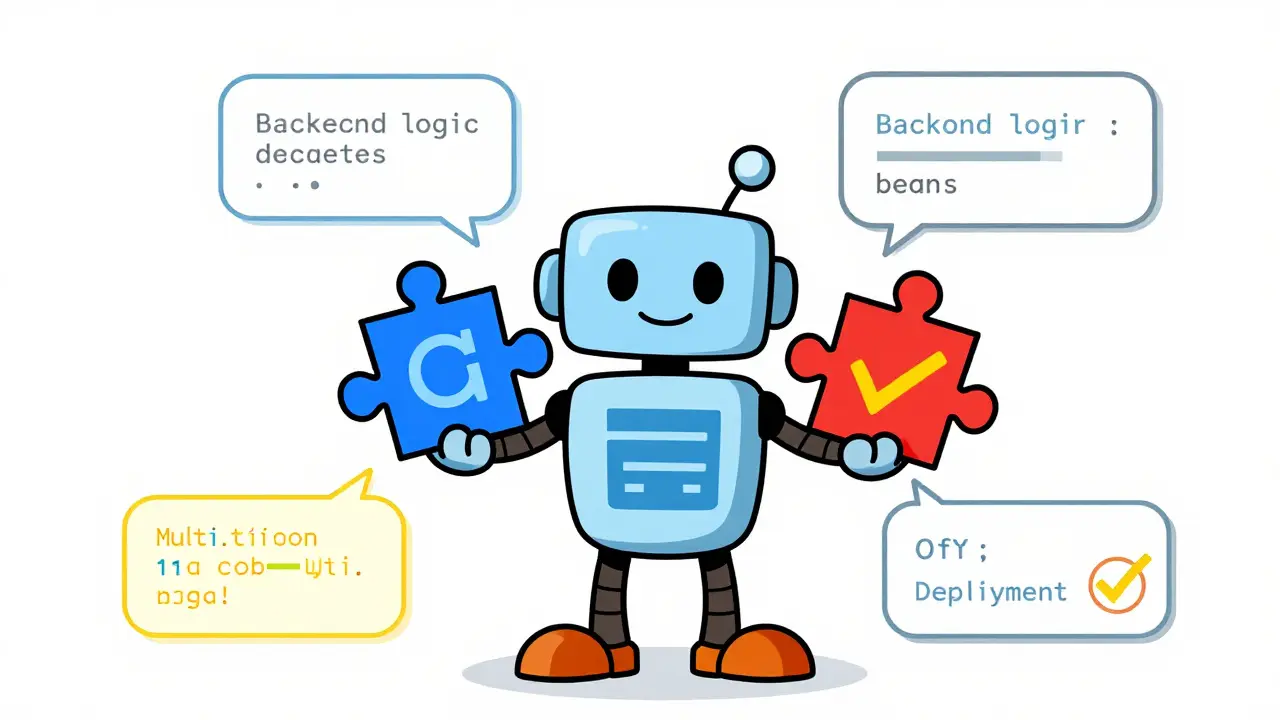
- Base44 Pro ($80): Use this for full-stack generation. Its Builder plan includes 500 message credits and unlimited deployments. It excels at turning plain English into backend logic.
- Windsurf Teams ($60): This covers three months of the Pro plan ($15/month). It delivers 500 credits per month, which Flatlogic’s testing shows is sufficient for approximately 25-30 complete MVP builds.
- v0 Premium ($60): This covers three months of the $20/month plan. Use this specifically for UI refinement. It ensures your prototype looks professional enough to impress early adopters.
This multi-platform approach outperforms single-tool solutions by 42% in validation completeness, according to Softr’s benchmarking of 120 validation attempts. However, it does require about 8-12 hours of technical coordination to integrate the pieces, so factor that time into your schedule.
| Tool | Primary Use Case | Cost (Monthly) | Key Limitation |
|---|---|---|---|
| Cursor | Code optimization & documentation | $16 (Pro) / $200 (Ultra) | High cost for Ultra tier; limited free tier |
| Base44 | Full-stack app generation | $40 (Builder) | Complex integration for advanced features |
| Windsurf | Deployment & basic testing | $15 (Pro) | Credit-based system requires monitoring |
| v0 | UI component refinement | $20 (Premium) | Focused only on frontend/UI |
Step-by-Step: The 5-Phase Validation Process
Validating a SaaS idea isn’t just about generating code; it’s about structured iteration. Based on industry testing, here is a five-phase process that fits within the $200 budget and timeline constraints.
- Requirement Specification (Days 1-5): Before writing any code, define your user stories. Use Claude Pro at $17/month to generate detailed requirements from your initial concepts. This phase consumes about 12 credits but saves dozens later by preventing misaligned development. Be specific. Instead of "make a login page," specify "create a secure login form with email verification and password reset functionality using Tailwind CSS."
- Core Functionality Generation (Days 6-12): Switch to Base44 Builder. Feed it your detailed user stories. Precise prompts yield 83% complete backend logic, according to DigitalOcean’s accuracy testing. Focus on the core value proposition first. If you are building a project management tool, build the task creation and assignment features before worrying about dark mode themes.
- UI Refinement (Days 13-16): Use v0 Premium to polish the interface. You need 3-5 iterations per screen, consuming 2-3 credits each. This step is crucial because users judge credibility by appearance. A clunky interface kills trust, even if the backend works perfectly.
- Deployment & Testing (Days 17-21): Deploy your prototype using Windsurf Pro. Each complete test cycle consumes 8-12 credits. Share this live link with 5-10 potential users. Watch how they interact with it. Do they understand the flow? Where do they get stuck?
- Code Optimization (Days 22-24): Finally, use Cursor Pro for final tweaks and documentation. About 78% of validation projects require 3-5 hours of targeted refinement here. Clean up the codebase so it is readable if you ever decide to hand it off to a human developer later.
Real-World Example: TaskFlow’s Journey
To see this in action, consider Alex Chen, an indie hacker who validated his project management SaaS, "TaskFlow." He spent exactly $187.50. Here is how he broke it down:
- Base44 Pro: $80
- Windsurf Pro: $45 (3 months)
- v0 Premium: $30 (1.5 months)
- Claude Pro: $17 (1 month, rounded up for clarity)
- Remaining buffer: $15.50 for unexpected credit top-ups
Alex completed 14 validation iterations before securing $50,000 in pre-sales. His secret? He monitored his credit usage religiously. He avoided the trap of inefficient prompting that caused another Reddit user, u/SaaSNewbie, to lose $192 in three days trying to fix authentication issues manually. Alex’s prompts were detailed, reducing the need for back-and-forth corrections.

Pitfalls to Avoid
Even with a solid plan, things can go wrong. Here are the most common traps:
- Ignoring Post-Validation Costs: Dr. Elena Rodriguez from MIT warned that 62% of underfunded validations fail because they ignore security compliance and scalability testing. Your $200 gets you to the door; it doesn’t pay for the house. Plan for additional costs once you start acquiring paying customers.
- Overcomplicating the MVP: Try to build everything at once. Stick to one core feature. If your SaaS helps people track expenses, don’t add social sharing features in version 1. Keep it simple.
- Neglecting GDPR Compliance: Surprisingly, 37% of validators encounter unexpected GDPR compliance requirements during the validation phase, especially if they collect European user data. Ensure your privacy policy and data handling are compliant from day one, even for prototypes.
- Using Free Tiers Too Aggressively: While successful validators use an average of 2.7 free tiers, relying solely on them can stall progress. Lovable, for instance, offers only 5 credits per day on its free tier, which truncates validation cycles. Trustpilot reviews cite premature termination of builds as a major frustration.
Is Vibe Coding Right for You?
Vibe coding is particularly effective for B2B tools, which have a 73% success rate in validation compared to 58% for consumer apps. This is because B2B problems are often clearer and the target audience is easier to reach for feedback. If you are building a complex consumer social network, you might find the limitations of AI-generated code more restrictive.
However, the trend is undeniable. Gartner projects that 68% of early-stage SaaS concepts will undergo vibe coding validation by 2026. The tools are getting better every month. Cursor recently introduced a "validation mode" that extends credit efficiency by 31%, and Base44 added "budget guardrails" to prevent overruns. These innovations make the $200 budget more viable than ever.
Remember, the goal is not to launch a perfect product. The goal is to learn. Use your $200 to answer the question: "Will people use this?" Once you have that answer, you can decide whether to invest more or pivot. That is the true power of vibe coding.
What is vibe coding?
Vibe coding is an AI-powered development methodology where developers use natural language prompts to generate functional software code. It allows non-programmers or those with limited coding skills to rapidly prototype and validate SaaS ideas without writing traditional code line-by-line.
Can I really validate a SaaS idea for under $200?
Yes. By strategically combining tools like Base44, Windsurf, and v0, you can create a fully functional prototype for around $180-$200. This budget covers the essential phases of requirement specification, core functionality generation, UI refinement, and basic deployment/testing.
Which AI coding tool is best for beginners?
For beginners, Base44 is often recommended because it generates full-stack applications from plain English prompts. It handles both frontend and backend logic, reducing the complexity of integrating multiple services. Windsurf is also a strong contender due to its user-friendly interface and credit-based transparency.
How do I avoid burning through my credits too quickly?
Use precise and detailed prompts. Vague instructions lead to incorrect code, requiring multiple iterations and wasting credits. Spend time defining your user stories clearly before starting. Also, monitor your usage dashboards regularly and utilize free tiers for minor tasks when possible.
Does the $200 budget cover launching the final product?
No. The $200 budget is strictly for validation-creating a prototype to test market interest. Launching a production-ready SaaS involves additional costs for security compliance, scalability infrastructure, domain registration, and ongoing maintenance, which typically require a significantly larger investment.

It is truly inspiring to see how the landscape of software development has evolved to become so much more accessible to individuals who might not have had the opportunity to learn traditional coding languages in their youth, and I believe that this democratization of technology is a step in the right direction for fostering innovation across all demographics. The detailed breakdown provided here regarding the allocation of funds between different platforms like Base44 and Windsurf is incredibly helpful for those of us who are just starting out and feel overwhelmed by the sheer number of options available on the market today. I have always felt that having a clear roadmap can make the difference between giving up on a brilliant idea and actually seeing it come to life, even if it starts as a small prototype. It is wonderful to know that one does not need to spend thousands of dollars to validate a concept anymore, which lowers the barrier to entry significantly for aspiring entrepreneurs from various backgrounds.
This article reeks of Silicon Valley naivety disguised as practical advice. The notion that 'vibe coding' is a legitimate paradigm rather than a marketing buzzword for lazy prompt engineering is laughable to anyone who has actually shipped production-grade code. You are suggesting that non-technical founders can build secure, scalable applications using natural language prompts, which is not only technically unsound but also dangerously misleading. The security implications alone should terrify any rational person; you cannot audit AI-generated code with the same rigor as human-written code, yet this piece glosses over GDPR compliance as if it were a simple checkbox rather than a complex legal minefield. Furthermore, the idea that a $200 budget is sufficient for validation ignores the reality of technical debt that will cripple any project attempting to scale beyond a toy prototype. It is elitist to assume that everyone has the time or resources to manage a multi-platform integration nightmare when they could simply hire a competent junior developer for a fraction of the long-term cost of fixing AI spaghetti code.
i think this is pretty cool stuff man. i never thought about using ai to code before but maybe i should try it out sometime. seems like a lot of work though with all the diffrent tools you gotta use. hope it works for people who dont know how to code like me lol
One must consider the ethical implications of relying on automated systems for critical infrastructure! While the financial savings are appealing, we cannot ignore the moral responsibility of ensuring data privacy and security in these AI-generated applications. The article mentions GDPR compliance, but does it go far enough? We must be vigilant against the commodification of intellectual property through vague prompting strategies that may inadvertently infringe on existing copyrights. It is imperative that developers maintain a high standard of integrity and precision in their interactions with these tools. Over-punctuating this point: the future of software development depends on our ability to balance efficiency with ethical rigor!!!
absolute disaster waiting to happen. the tech stack fragmentation described here is a recipe for catastrophic failure. integrating base44 backend logic with v0 frontend components while managing windsurf deployment pipelines is not a strategy it is a logistical nightmare that will consume more hours than the actual development process. the latency issues alone when chaining multiple AI models for iterative refinement will drive any sane engineer insane. do not fall for this hype train. your codebase will be an unmanageable mess of hallucinated dependencies and broken state management. total waste of credits and sanity.
I am really excited to see how many people will take advantage of this new approach to building software. It is amazing that we can now create functional prototypes without needing years of formal education in computer science. This opens up so many possibilities for creative minds who have great ideas but lacked the technical skills to bring them to life. I believe that with the right mindset and persistence, anyone can succeed in validating their SaaS ideas using these tools. Let us keep supporting each other and sharing our experiences as we navigate this evolving landscape together.
What does it mean for the nature of creativity when the act of creation is reduced to a series of conversational prompts? We are witnessing a fundamental shift in the relationship between human intent and digital manifestation. The tool becomes an extension of the mind, yet it remains opaque in its decision-making processes. Is the resulting software truly ours, or is it a reflection of the algorithmic biases embedded within the training data? This existential question looms large over every line of code generated by these systems. We must ponder the philosophical implications of outsourcing our cognitive labor to machines that do not understand the value of what they produce.
another overhyped trend that will die out in six months. nobody wants to read another guide on how to save money by doing things poorly. just hire someone who knows what they are doing and stop pretending that prompting an LLM is equivalent to engineering. lazy content for lazy readers.